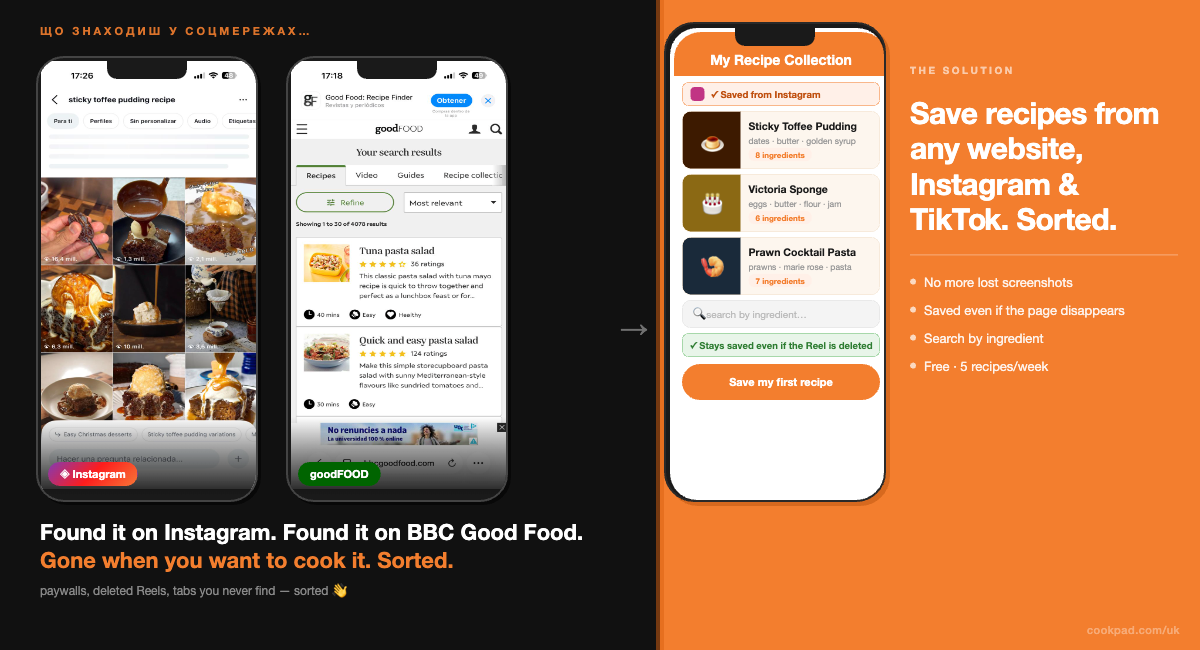
You found a sticky toffee pudding recipe on BBC Good Food — properly good, the kind with the dark treacle and the proper toffee sauce. You bookmarked it. You saved the tab. You may have even screenshotted it.
Come December, when you actually want to make it, it's gone. Not the recipe — you know the recipe is somewhere. But you've got 47 open tabs, 200 camera roll screenshots from the last six months, and a BBC Good Food saved folder you haven't opened since March. The recipe is technically saved. It's practically lost.
Here's the direct answer: To stop losing recipes from BBC Good Food, Instagram, or any website, tap Share on the page or Reel and select Cookpad — or paste the URL directly into the app. Cookpad saves the full recipe, not just a link, and stores it in a searchable collection on your phone. The whole thing takes under two minutes. Even if BBC Good Food moves the article behind a paywall or an Instagram creator deletes their Reel, your recipe stays.
The rest of this post breaks down exactly why your current system keeps failing — and how to replace it with something that actually works.
→ Save your first recipe to Cookpad — free
Key Features:
- The recipes you saved last month — where are they now?
- Five ways your current system is losing recipes (and what changes with Cookpad)
- How to save a recipe from BBC Good Food, Instagram, or any website
- Free vs Premium: what you can do without paying a penny
- Your digital recipe book: keeping everything in one place
- FAQ
The Recipes You Saved Last Month — Where Are They Now?
Here's a quick audit. Think about the last five recipes you saved in the past month. Where are they right now?
If you're honest, they're probably spread across at least four of these:
- A Safari or Chrome tab you're keeping open "just in case" — and haven't touched in three weeks
- An Instagram saved post that you can't find because the search only reads captions, not the actual ingredients on screen
- A screenshot buried in your camera roll between a parking receipt photo and something your mate sent on WhatsApp
- A BBC Good Food bookmark in a folder you can never quite locate when you need it
- A WhatsApp message you sent yourself with a link that now either 404s or redirects to a subscription page
This isn't disorganisation. It's the natural result of a system that was never designed to keep recipes. Instagram is built for discovery, not long-term storage. Browser tabs are not a filing system. Screenshots are not searchable.
The faff of trying to find a recipe you know you saved — that's the problem. Cookpad fixes it.
Five Ways Your Current System Is Losing Recipes
1. You find a recipe on BBC Good Food → you bookmark it → the page moves behind a paywall
BBC Good Food, Olive Magazine, and Delicious. have all expanded their premium content in 2026. A recipe you bookmarked six months ago might now require a subscription to view. Your bookmark still exists — but the recipe is gone.
When you save a recipe to Cookpad, the app saves the content itself — the ingredients, method, and images — not just the link. So even if BBC Good Food locks the page tomorrow, your recipe stays in your Cookpad collection exactly as it was.
2. You save an Instagram Reel → you can't search for it by ingredient
Instagram's saved posts search reads captions, not on-screen text. If a creator listed the ingredients in the video but not in the caption — which most do — you can't find it by searching "prawns" or "feta" in your saved folder. You have to scroll through everything hoping you recognise the thumbnail.
Once you save a recipe to Cookpad, it's searchable by ingredient. Type "prawns" and every recipe in your collection with prawns in it appears — from BBC Good Food, from Reels, from TikTok, from anywhere. That's what a recipe book is supposed to do.
3. You screenshot a TikTok recipe → it gets buried in your camera roll
The screenshot is technically there. Finding it when you're standing at the kitchen counter at 6pm on a Tuesday is the problem. Your camera roll doesn't know the difference between a recipe screenshot, a parking ticket, and a meme your brother sent. Cookpad does.
4. You save a creator's Reel → they delete it or go private
This happens more than you'd think. Creators delete old content, go on hiatus, or make their accounts private. When they do, your Instagram saved post disappears with them. The recipe is gone.
Cookpad saves the recipe content, not just the reference to it. If @Mob removes a video, your saved version of that recipe is unaffected. It's yours — not a pointer to theirs.
→ Save a recipe you don't want to lose — right now
5. You bookmark a food blog → the site goes down
Food blogs come and go. A recipe you loved on a small independent UK food blog might simply disappear if the site stops being maintained. Same with recipe newsletters — a link in an old email is not a saved recipe, it's a link that might not work next year.
Cookpad keeps the recipe itself. Not the link. Not the reference. The actual ingredients and method, saved and searchable, for as long as you want them.
Do you have recipes saved somewhere that you're not sure you can find again? → Bring them all together in Cookpad — it takes two minutes
How to Save a Recipe from BBC Good Food, Instagram, or Any Website
1. Share directly from BBC Good Food or any recipe website
- Tap Share on the webpage or social media post.
⚠️ The sharing function is designed differently for each platform. The screenshot below uses Instagram as an example. - Select Cookpad from the sharing options.
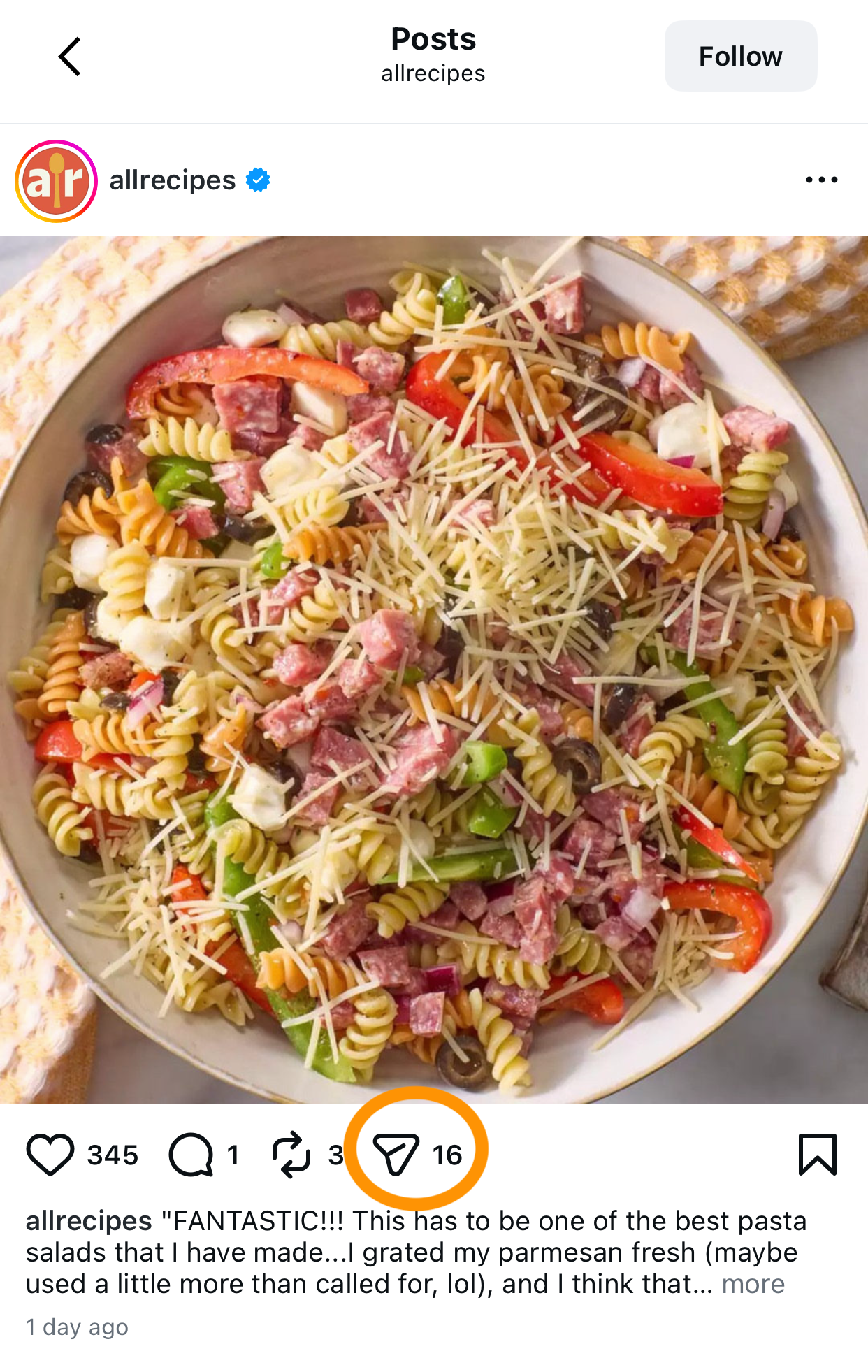
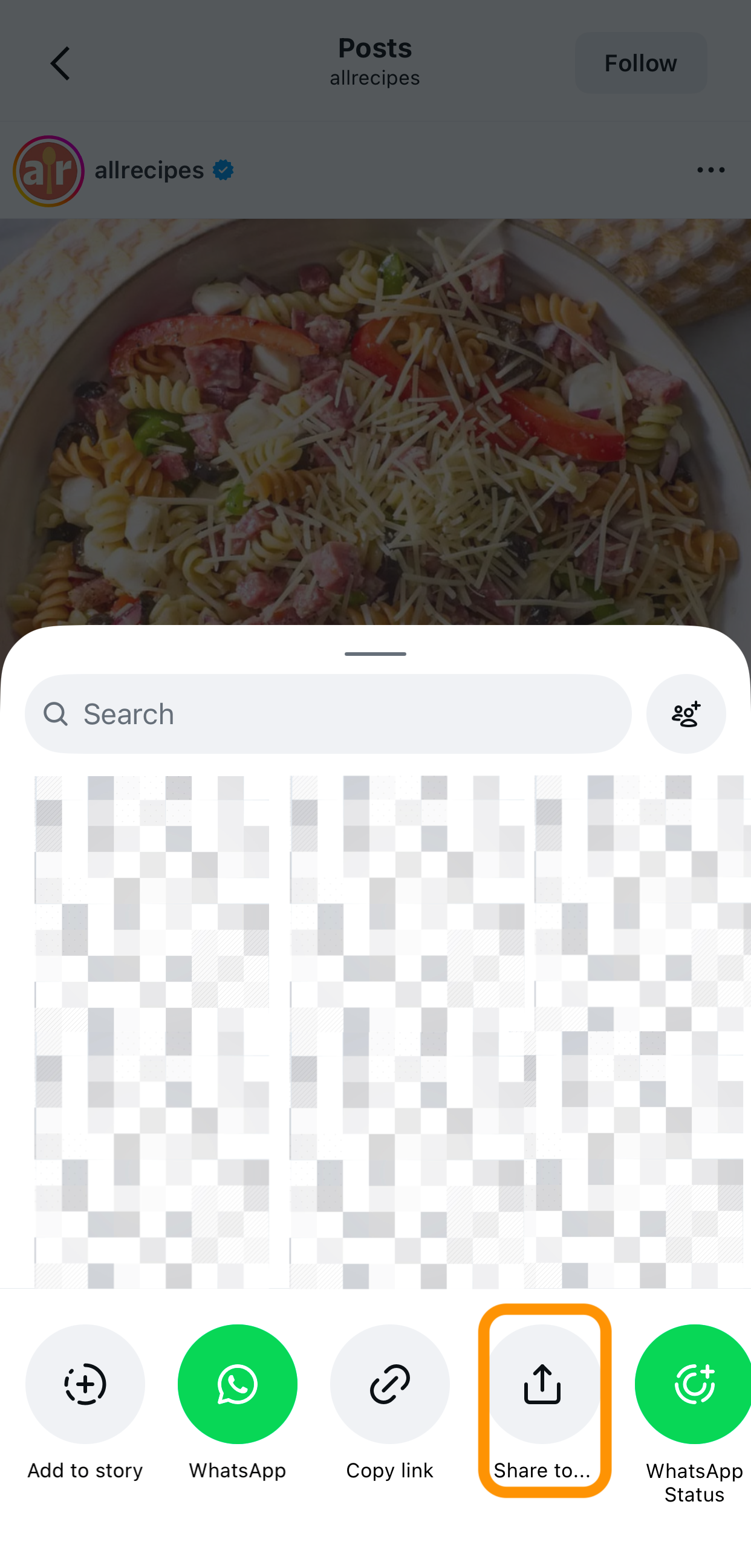
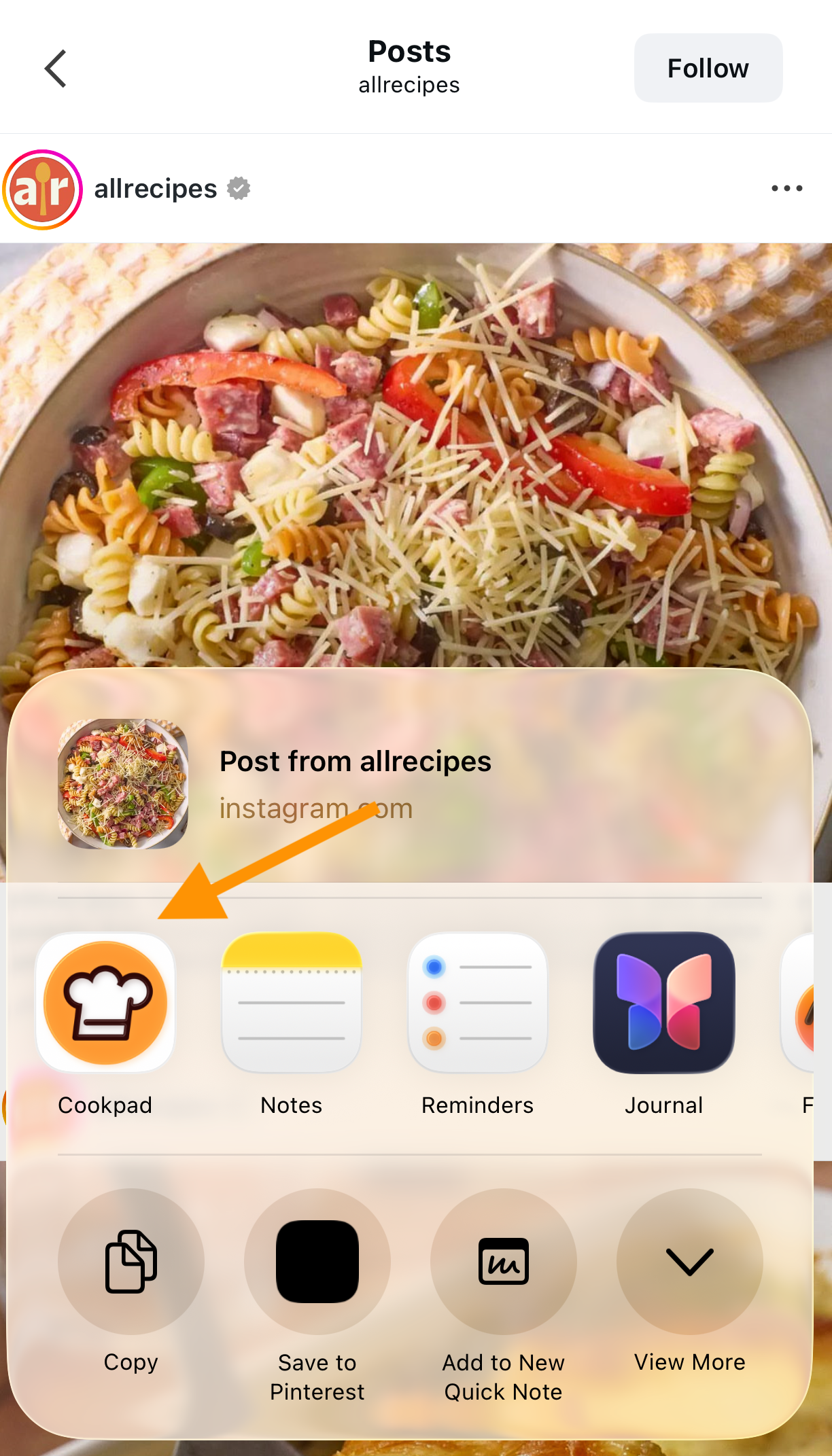
Share recipe from Instagram to Cookpad using share menu UK - Select Cookpad from share options to save recipe
Cookpad reads the page and extracts the ingredients and method automatically. No copy-pasting, no manual entry.
TIP: Works with BBC Good Food, Olive Magazine, Nigella.com, Waitrose Food, Delicious. Magazine, and most food blogs. If the page has structured recipe content, Cookpad finds it.
→ Try it now with any recipe page you have open
2. Paste the link in Cookpad
- Copy the link to the recipe webpage or social media post.
- Open the Cookpad app and tap the "+" icon to add a new recipe.
- Select "Import from social media".
- Paste the recipe link. Once the recipe loads, tap Import.
After the recipe finishes loading, tap Start Importing Recipe.
The import process usually takes 1–2 minutes. We recommend enabling app notifications so you’ll be notified when the import is complete.
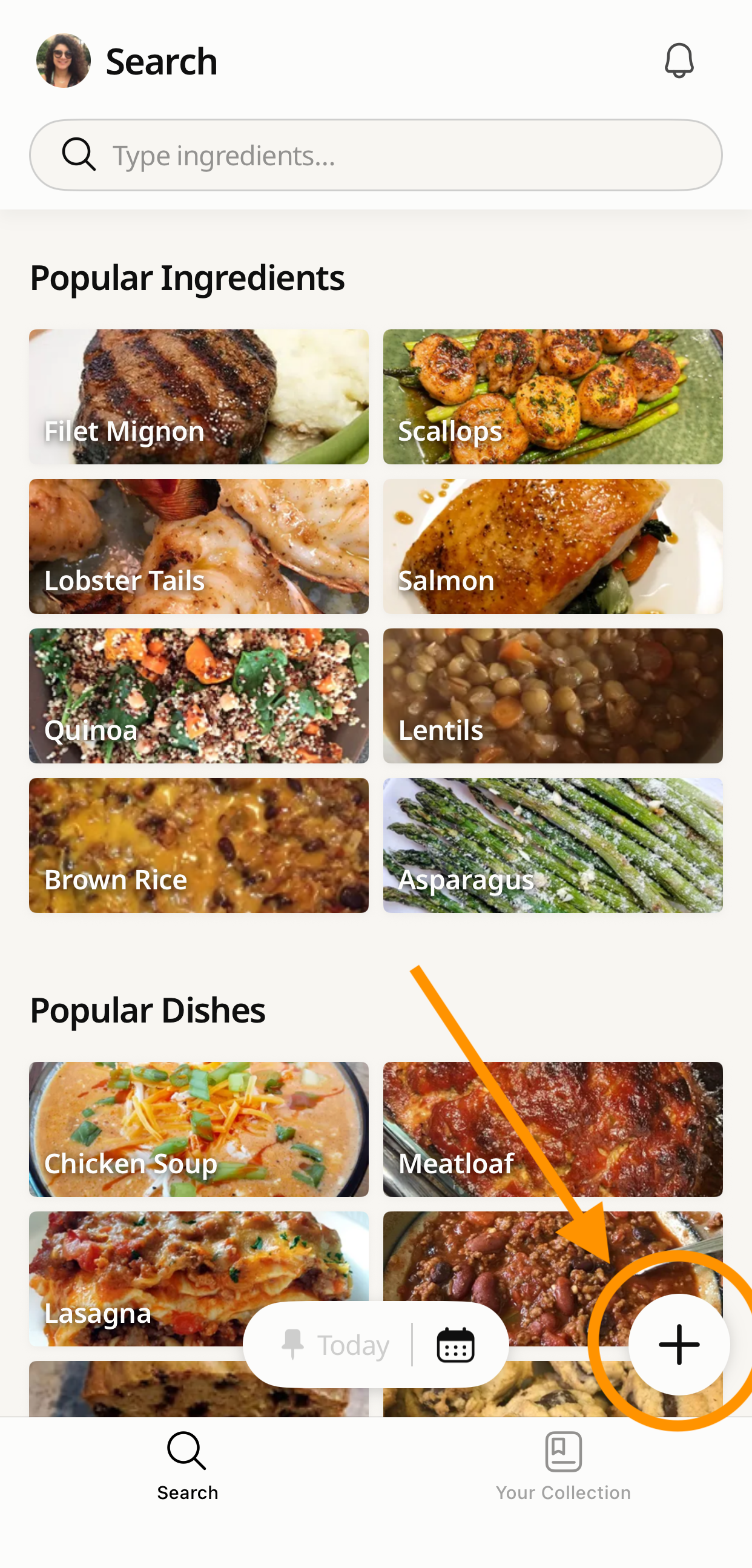
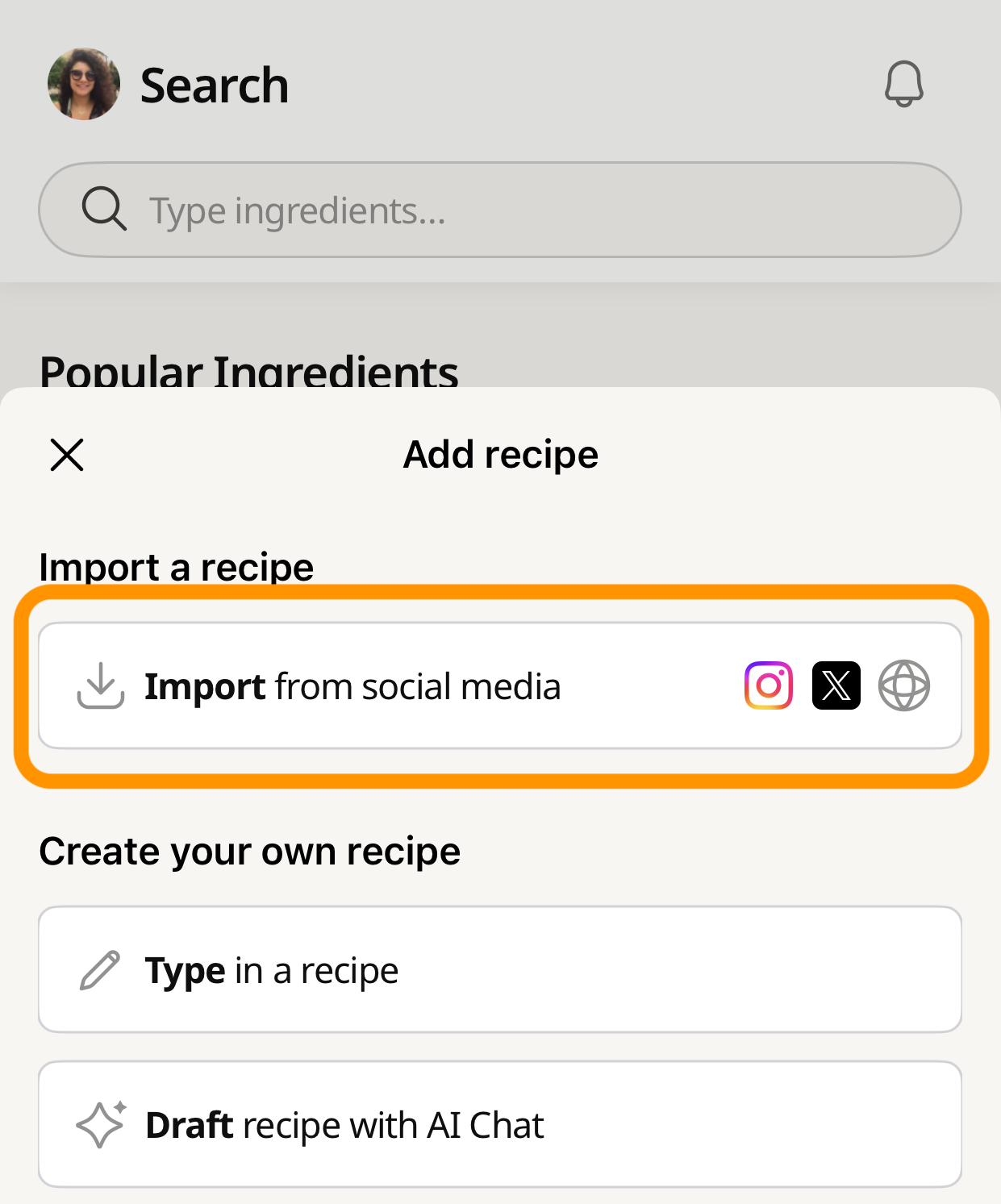
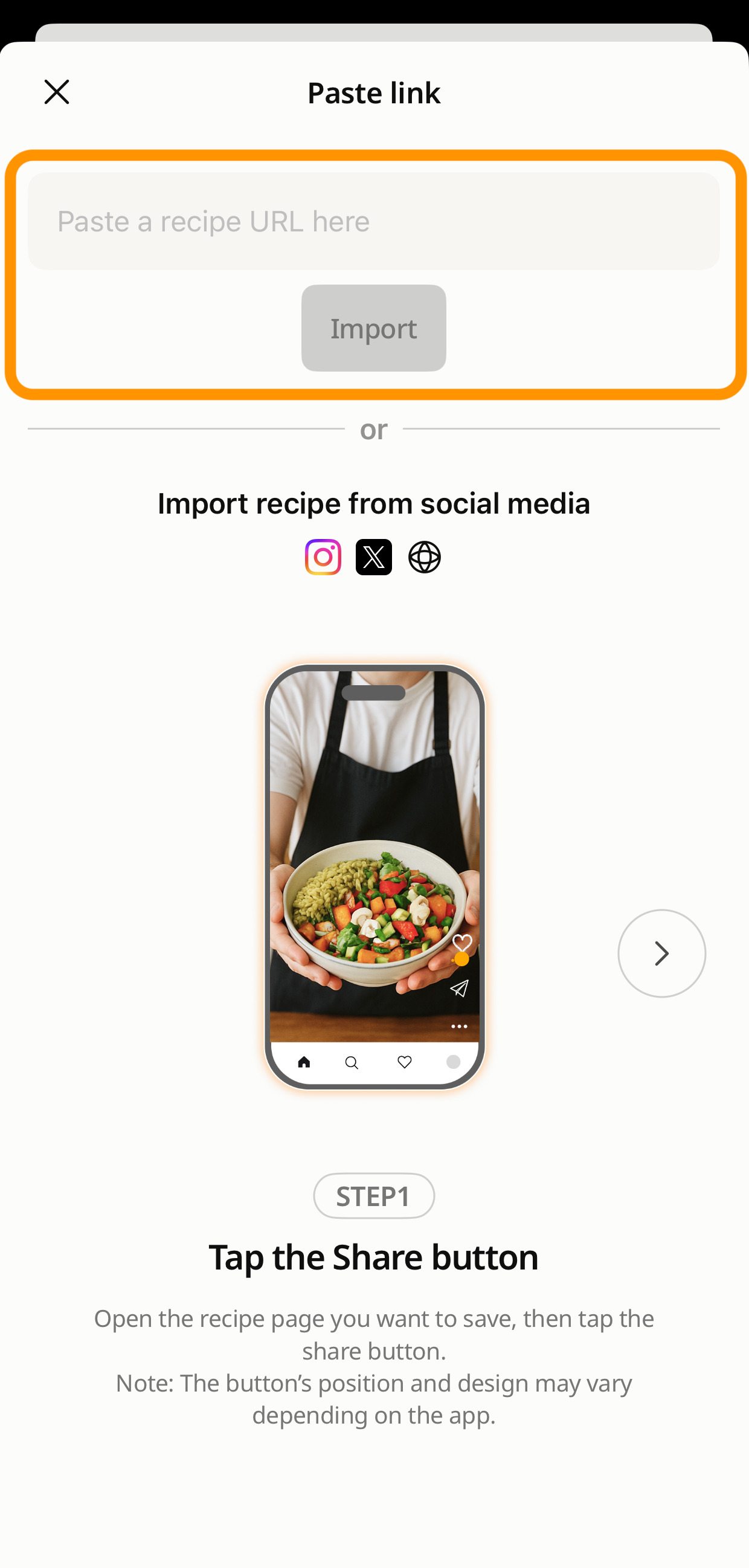
Copy recipe link to import into Cookpad app UK - Paste recipe URL in Cookpad import from social media - Recipe loading in Cookpad after URL paste
After the recipe finishes loading, tap Start Importing Recipe.
The import process usually takes 1–2 minutes. We recommend enabling app notifications so you’ll be notified when the import is complete.
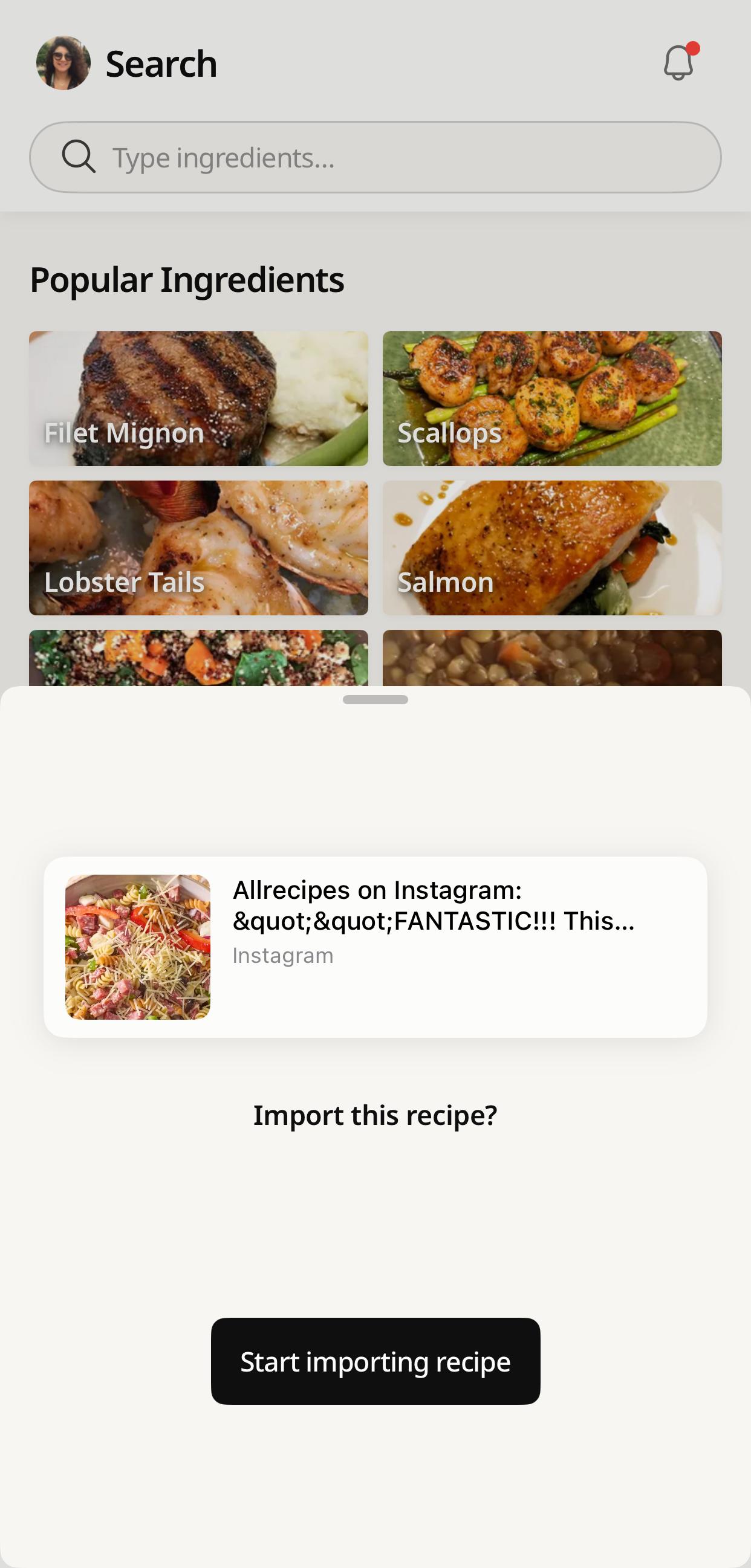
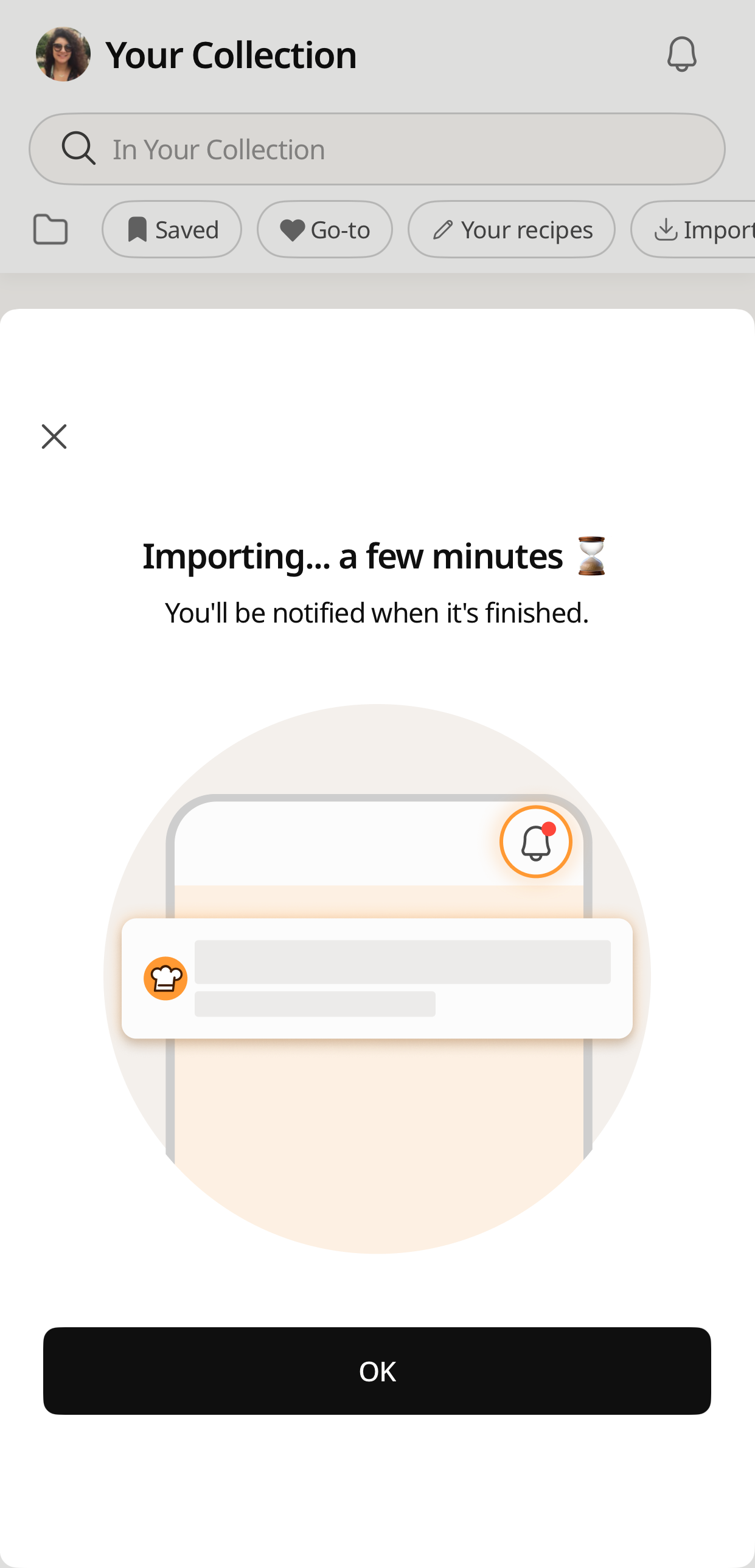
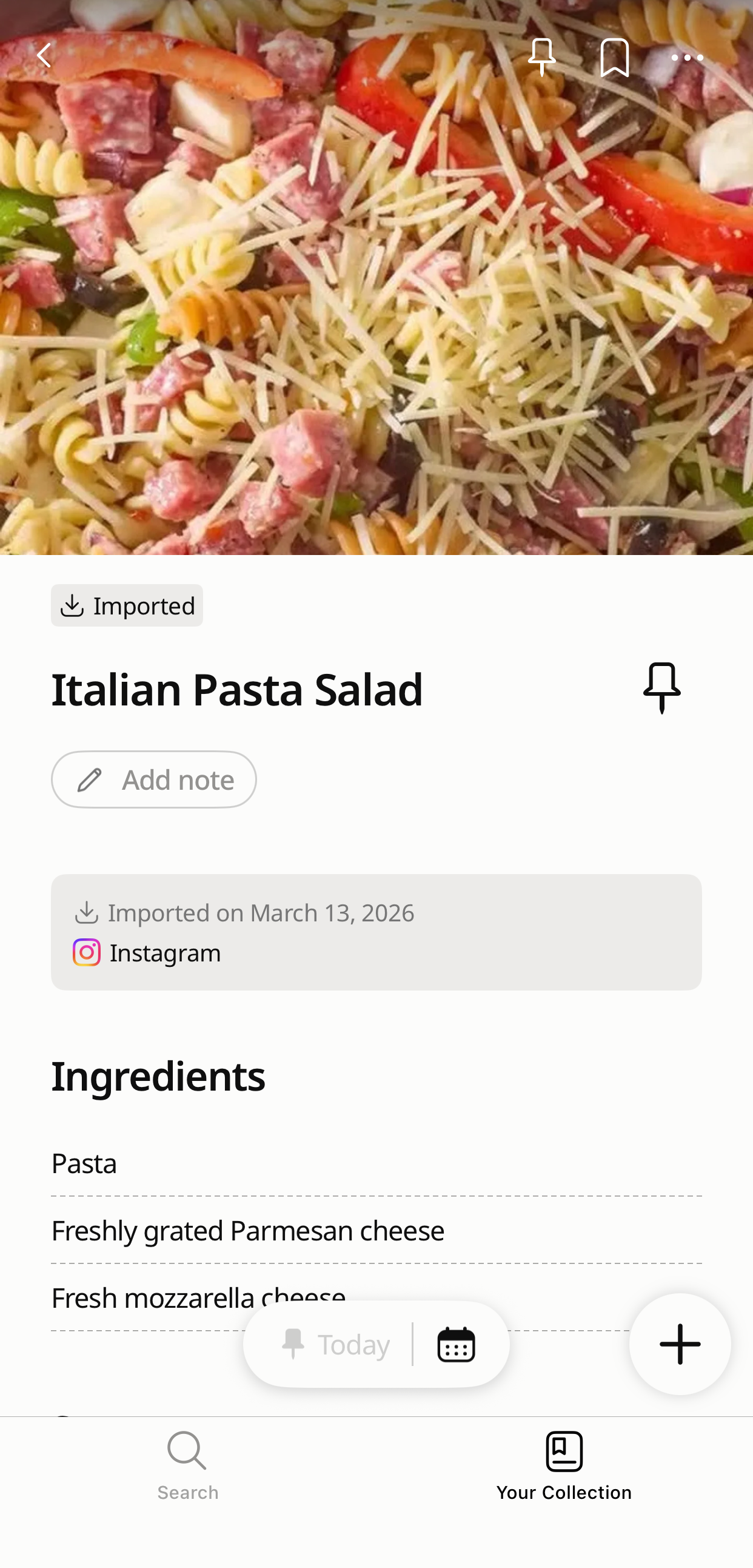
Tap Start Importing Recipe in Cookpad app - Cookpad recipe import processing notification - Recipe imported successfully to Cookpad collection
You can also import recipes in other languages. Cookpad will automatically translate imported recipes into English, making it easy to cook dishes from around the world.
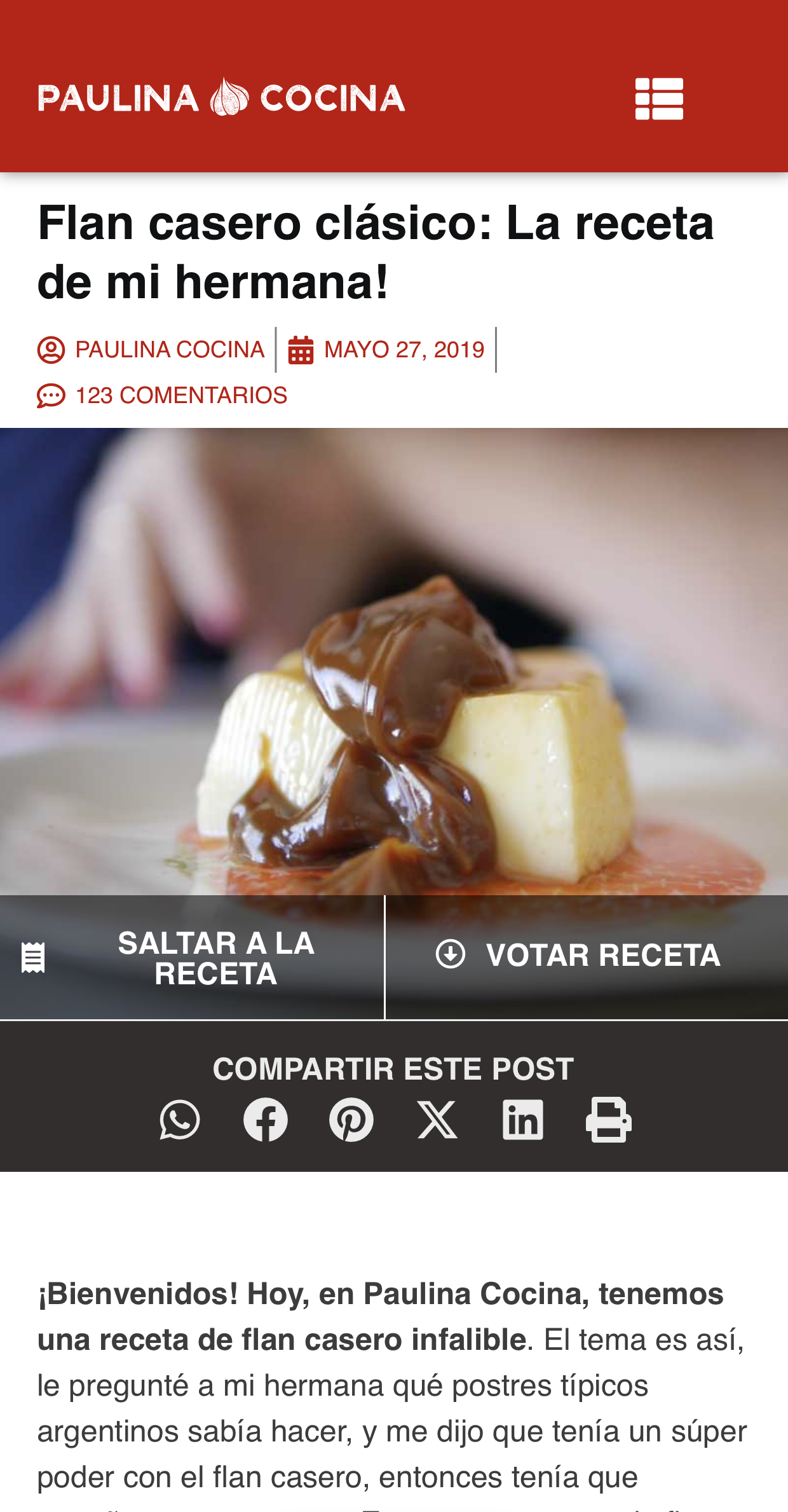
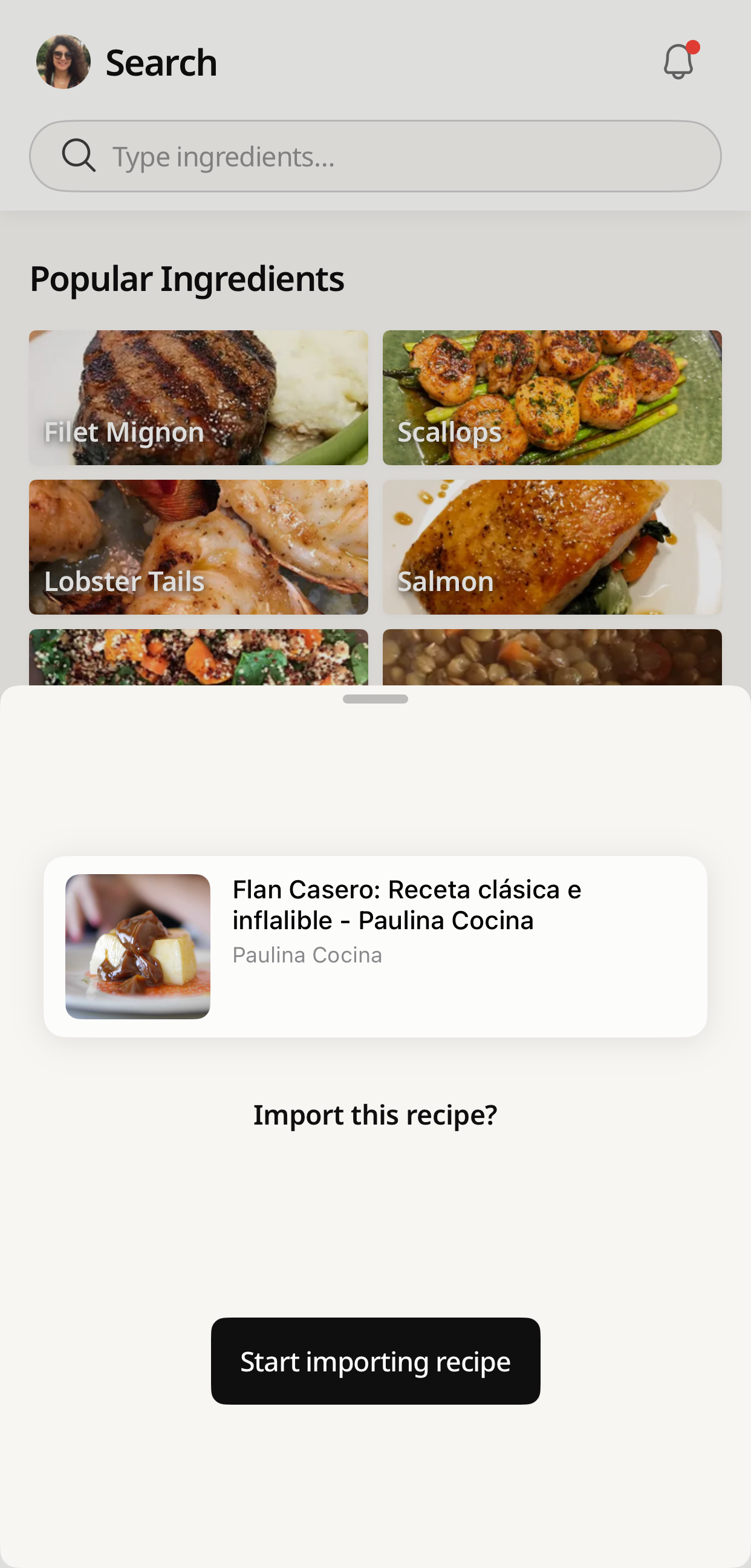
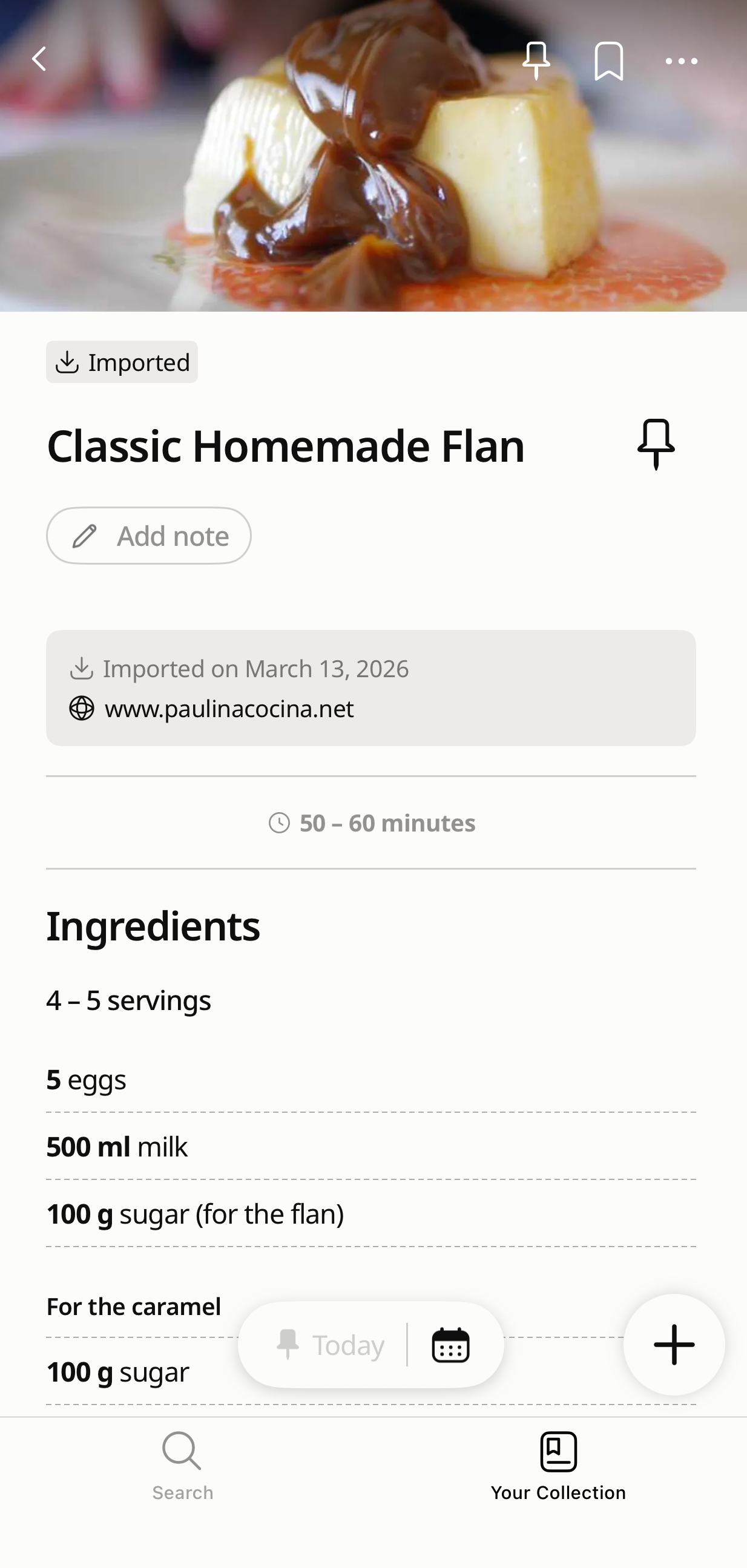
Import recipe in any language - Cookpad translating imported recipe to English - Translated recipe saved in Cookpad collection
All imported recipes will be saved in the “ Imported” folder in Your Recipe Collection for easy access.This feature helps you manage all your favorite recipes in the Cookpad app and keep them easy to access while cooking.
⚠️ Imported recipes can be "corrected", but they cannot be published publicly. They are for personal use only.
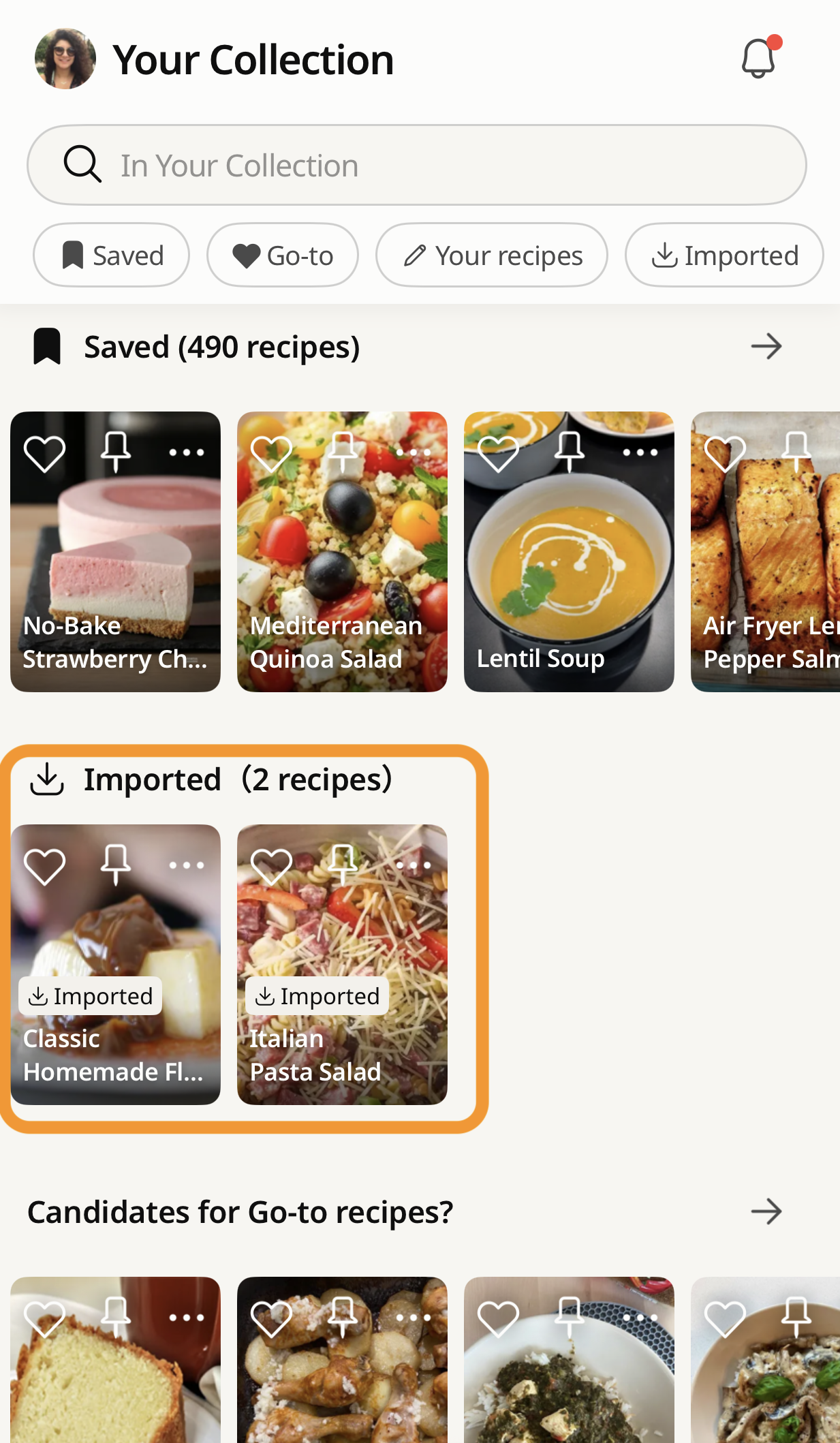
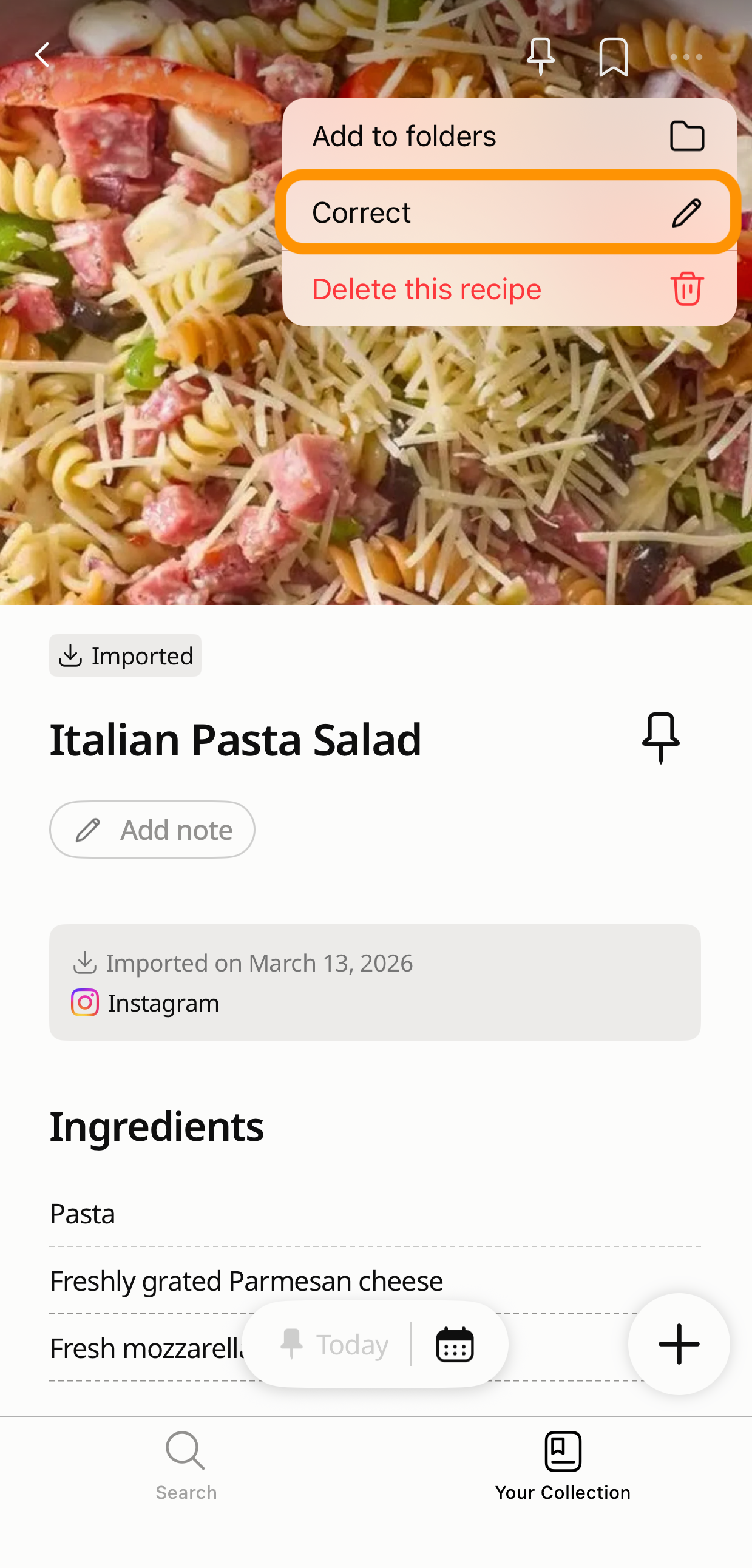
Imported recipes saved in Cookpad Imported folder personal collection - Cookpad Imported folder showing saved recipes from social media
Free vs Premium: What You Can Do Without Paying a Penny
This is the question most UK recipe app reviews don't answer clearly, so here it is plainly:
Free plan — what you get:
- Save recipes from any website, Instagram, or TikTok
- Access to your Imported folder in Your Recipe Collection
- Search your saved recipes by ingredient
- Cooking mode (screen stays on while you follow a recipe)
- Access to Cookpad's community recipes — millions of home cooks worldwide
Cookpad Premium — what's added:
- Unlimited recipe saves (free plan: 5 per week)
- Unlimited themed collections — organise by occasion, season, or anything you like
- AI recipe suggestions based on what you have in
- Ad-free experience
If you cook a handful of new recipes a week, the free plan covers it. If you're the kind of person who saves everything and organises obsessively — Premium is worth it.
Cookpad Premium — see what's included
Your Digital Recipe Book: Keeping Everything in One Place
There's something very British about the idea of a proper recipe book. Not an algorithm. Not a saved folder. An actual, organised collection of recipes you've chosen, that you can find when you need them.
Cookpad's recipe collection is the digital version of that — the kind your nan might have kept in a ring binder with handwritten tabs, except it's searchable and it doesn't fall apart.
Once your recipes are saved, you can organise them into themed collections. A few ideas that work well heading into British summer:
- Wimbledon Week — strawberry desserts, summery salads, anything for a crowd
- BBQ Season — marinades, sides, proper puddings to finish
- Sunday Roast Sides — the roasties, the yorkies, the gravy — everything that takes the most coordination
- Bake Off Inspiration — everything you've wanted to try after watching the new series
- Weeknight Easy — 30 minutes or under, no faff, actually good
- Nan's Recipes — the ones worth keeping properly, not just on a screenshot
- Trying This Month — the running list of what's next
The ability to create unlimited themed collections is part of Cookpad Premium. The free plan gives you the Imported folder and basic saving to get started.
Your recipe collection starts with one save. → Save your first recipe now — from any website or app
FAQ
What is the best app to save recipes from websites in the UK?
Cookpad lets you save recipes from any website — BBC Good Food, Olive Magazine, Nigella.com, Waitrose Food, or any food blog — by pasting the URL into the app. It extracts the ingredients and method automatically and stores them in a searchable personal collection. The free plan includes up to 5 saves per week. Cookpad Premium removes the limit.
Can I save recipes from BBC Good Food to an app?
Yes. Copy the URL of the BBC Good Food recipe, open Cookpad, tap the + button, select "Import from social media," paste the URL, and tap Import. Cookpad saves the full recipe — ingredients and method — not just the link. If the page later moves behind a paywall, your saved copy is unaffected.
How do I stop losing recipes I find on Instagram?
When you find a recipe on Instagram, tap the Share icon on the Reel, then select Cookpad from the share sheet. Cookpad saves the recipe to your personal collection. Unlike Instagram's saved posts, your Cookpad recipes are searchable by ingredient — and they stay saved even if the creator deletes the Reel or goes private.
Is there a free recipe organiser app that works in the UK?
Yes — Cookpad's free plan lets you save up to 5 recipes per week from any website or social media app, access your saved collection, and search by ingredient. Cookpad Premium (paid) removes the weekly limit and adds unlimited themed collections. Both plans are available in the UK.
How do I save a recipe from a Reel without screenshotting it?
Open the Reel, tap the Share (paper plane) icon, then tap "Share to..." and select Cookpad. The recipe is imported automatically into your Cookpad collection — no screenshot needed. You can then search it by ingredient, follow it in cooking mode, and access it even if the original Reel is deleted.