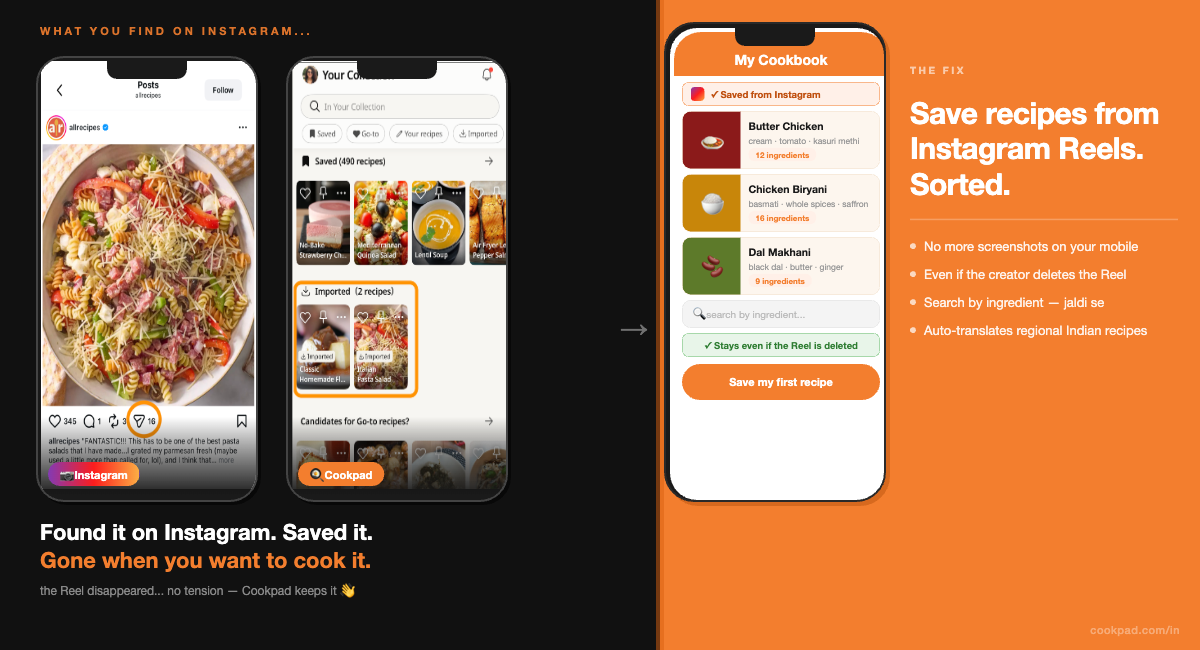
You found a butter chicken recipe on Instagram. Not a restaurant version — the real one. A home cook from Delhi showing exactly how much cream, how long to cook the onions, the precise moment to add the kasuri methi. You watched it twice. You sent it to yourself on WhatsApp. You thought: I'll make this on Sunday.
Sunday comes. You open Instagram, tap your saved posts, and scroll. And scroll. There are 400 saved Reels in there. Some are recipes. Some are memes. Some are things you don't even remember saving. The butter chicken is somewhere in that pile — but Instagram's search only reads captions, not ingredients. If that creator didn't type "butter chicken" in the caption, it won't show up. And if they deleted the Reel? It's gone. No tension — this happens to everyone.
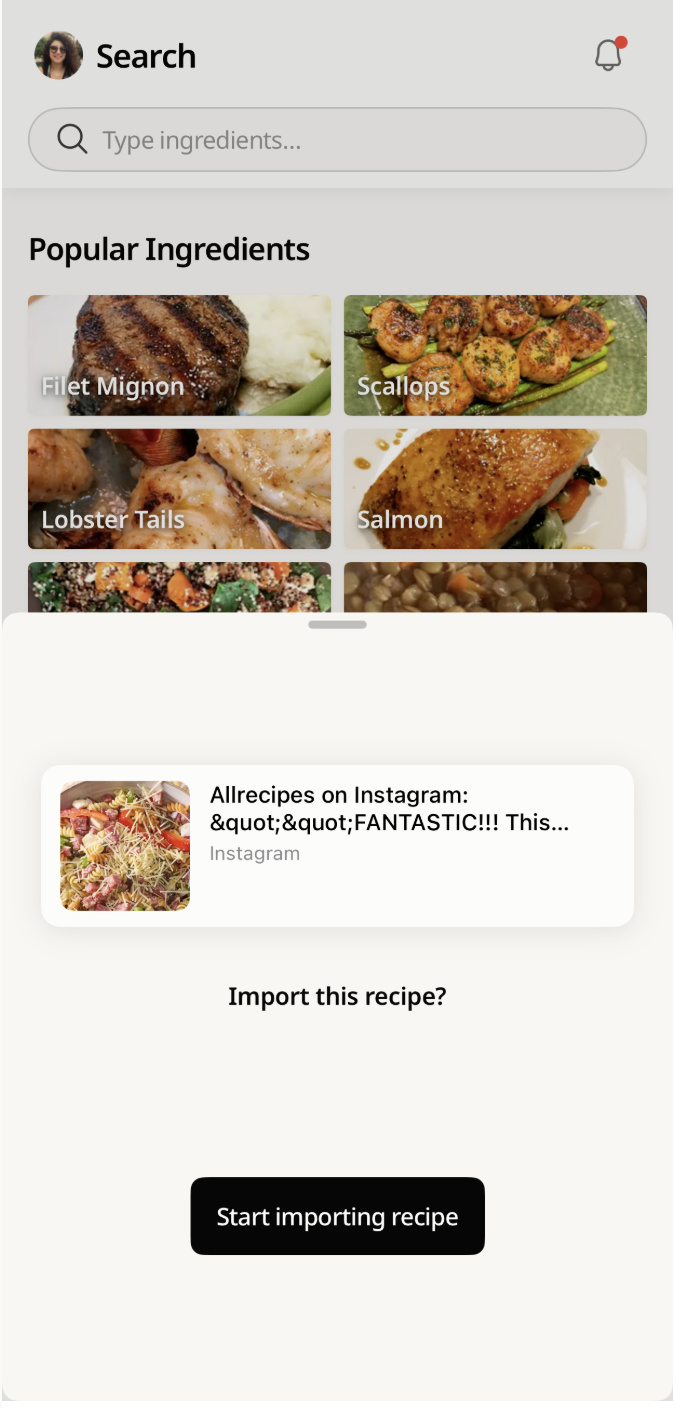
To save a recipe from an Instagram Reel to Cookpad, tap Share on the Reel, select Cookpad from the share options, and tap Start Importing Recipe. Cookpad reads the full recipe automatically — ingredients, steps, and all — and saves it to your personal Cookbook permanently, even if the creator later deletes the Reel. The whole process takes under two minutes.
Below are five situations where Instagram fails Indian home cooks — and exactly what changes when you save to Cookpad instead.
→ Save your first recipe to Cookpad now
TABLE OF CONTENTS
- Five situations where Instagram loses your recipe
- What saving to Cookpad actually does differently
- Step by step: how to save recipes from Instagram, YouTube, and websites
- Your digital Cookbook: organising your collection with Cookpad
- Why this matters for how we cook in India
- FAQ
Five situations where Instagram loses your recipe
Does any of this sound familiar?
You saved a Reel — and now you can't find it.
Your saved posts folder has hundreds of items in it: recipes, dance videos, travel content, things you saved six months ago and don't remember why. Instagram lets you search saved posts by caption text only. If the creator filmed a whole Reel of Hebbar's Kitchen-style dal makhani but typed nothing in the caption, that recipe is invisible to your search. You know it's in there. You just can't reach it.
The creator deleted the Reel.
This one stings. You saved a biryani recipe from a creator you'd never seen before — the kind with the whole spice layering technique explained clearly. A few weeks later you go back to watch it before cooking. The Reel is gone. Instagram's saved post was just a link to the original. When the original disappears, so does your save. There's no recovery option.
You got the recipe on WhatsApp and lost the link.
Someone in your family group forwarded a masala dosa Reel from a Tamil food page. You watched it, loved it, mentally bookmarked it. By the time you needed it, the link was buried under 200 other messages in the family chat. Good luck finding it.
Your screenshots are taking over your phone.
The backup plan for most people: screenshot every recipe. The result: a camera roll full of recipe photos mixed with everything else on your mobile. No organisation, no search, no way to find the chole bhature recipe from three months ago when you're standing at the stove on a Sunday morning.
Instagram is showing you the recipe — but it's in Hindi, Tamil, or Bengali.
You follow creators who cook in regional languages. The recipe is clearly good. But if you don't read the language fluently, the ingredients list becomes guesswork. No way to save it with a translation intact.
Every one of these situations has the same root cause: Instagram was built to show you content, not to keep it. The saves folder is a viewing queue, not a recipe collection.
What saving to Cookpad actually does differently
Search by ingredient — inside your own collection
When a recipe is saved to Cookpad, it becomes part of a searchable personal Cookbook. Open the app, type "ginger" or "coconut milk" or "paneer", and every recipe in your collection that uses that ingredient appears — regardless of what the creator called the dish, what language the caption was in, or whether the original Reel still exists.
This is the difference that matters on a Tuesday evening when you're looking at what's in your fridge and trying to decide what to cook. You're not trying to remember a creator's name or a hashtag. You type what you have. Cookpad finds what you saved.
[IMAGE: Search by ingredient in Cookpad personal collection showing Indian recipes India] Alt text: Search recipes by ingredient in Cookpad personal cookbook India
Do you have recipes saved on Instagram you can never find when you actually want them? → Save your first recipe and start searching by ingredient
Your screen stays on while you cook
Every home cook has done this: you're mid-recipe, hands covered in atta or masala, and your phone screen goes dark. You tap it with a knuckle. It doesn't register. You wipe your hand, unlock, scroll back to where you were. The dal is overcooking.
Cookpad's cooking mode keeps your screen on for the entire recipe — no taps needed. Each step is displayed clearly, one at a time, large enough to read from across the counter. You can move through the recipe without touching your phone.
[IMAGE: Cookpad cooking mode step display screen on while cooking Indian recipe India] Alt text: Cookpad cooking mode keeps screen on during recipe steps India
The original video link stays attached
When you save an Instagram Reel to Cookpad, the app stores the link to the original video along with the extracted recipe. You get both: the searchable, permanent recipe text and the ability to tap back to the creator's video to watch the technique — the way they roll the roti, the texture of the dal when it's ready, the plating.
Even if the Reel later disappears from Instagram, your extracted recipe stays in Cookpad. The video link becomes unavailable if deleted, but the recipe itself — the ingredients, quantities, and steps — remains exactly as it was when you saved it.
Have a Reel from Hebbar's Kitchen or Ranveer Brar you don't want to lose? → Save it now to your Cookpad Cookbook
[IMAGE: Cookpad imported recipe with original Reel video link attached India] Alt text: Cookpad shows original Instagram Reel link alongside saved recipe India
The recipe stays even if the creator deletes the Reel
This is what separates Cookpad from Instagram's save function. When you tap "import" in Cookpad, the app reads the full recipe — ingredients, quantities, method, images — and saves a complete copy to your personal Cookbook. The original link is stored separately as a reference.
If the creator deletes the Reel, the video link stops working. But the recipe itself stays in your Cookpad Cookbook untouched. You saved the content, not just the link. This is not something Instagram's native save function can do.
[IMAGE: Recipe saved permanently in Cookpad even after Instagram Reel deleted India] Alt text: Cookpad saves recipe content permanently from Instagram Reel India
Cookpad translates the recipe automatically
This one changes things for Indian home cooks specifically. You follow a Tamil food creator whose mutton kulambu recipe looks extraordinary. The Reel is in Tamil. Cookpad imports the recipe and translates it into English automatically — ingredients, measurements, and steps. You get the full recipe in a language you can cook from, saved in your Cookbook, searchable by ingredient.
The same works for Hindi, Telugu, Kannada, Bengali, and most other regional Indian languages. If the recipe has structured content, Cookpad finds it and translates it.
[IMAGE: Cookpad auto-translates Indian regional language recipe to English India] Alt text: Cookpad auto-translates Tamil recipe to English for Indian home cooks India
Organise into themed collections (Cookpad Premium)
Organising your saved recipes into themed collections — Monsoon Comfort Food, Diwali Sweets, Quick Weeknight Dal, Mum's Favourites — is a feature exclusive to Cookpad Premium. The free plan saves your recipes into the Imported folder; Premium lets you sort them into any collection structure that matches how you actually think about food.
Here's what a well-organised Cookbook could look like heading into monsoon season and Ganesh Chaturthi:
- Monsoon comfort food — khichdi, pakoras, masala chai accompaniments, hot soups
- Ganesh Chaturthi specials — modak, puran poli, ukadiche modak, coconut barfi
- Sunday biryani — all your biryani experiments in one place, including chole bhature for the side
- 5-ingredient weeknights — fast recipes for weeknights when you have no bandwidth
- Recipes from Amma / Nani — the WhatsApp-forwarded family recipes you finally saved properly
- Baking on weekends — Indian sweets and bakes you want to try
- What's in my fridge — recipes organised around ingredients you usually have
Your collection starts with the first recipe. → Save from Instagram, YouTube, or any website — right now
Step by step: how to save recipes from Instagram, YouTube, and websites
From Instagram Reels
- Open the Instagram Reel with the recipe you want to save.
- Tap the Share arrow (the paper plane icon on the right side of the screen).
- Select Cookpad from the share options. If Cookpad doesn't appear, tap More and add it to your shortcuts.
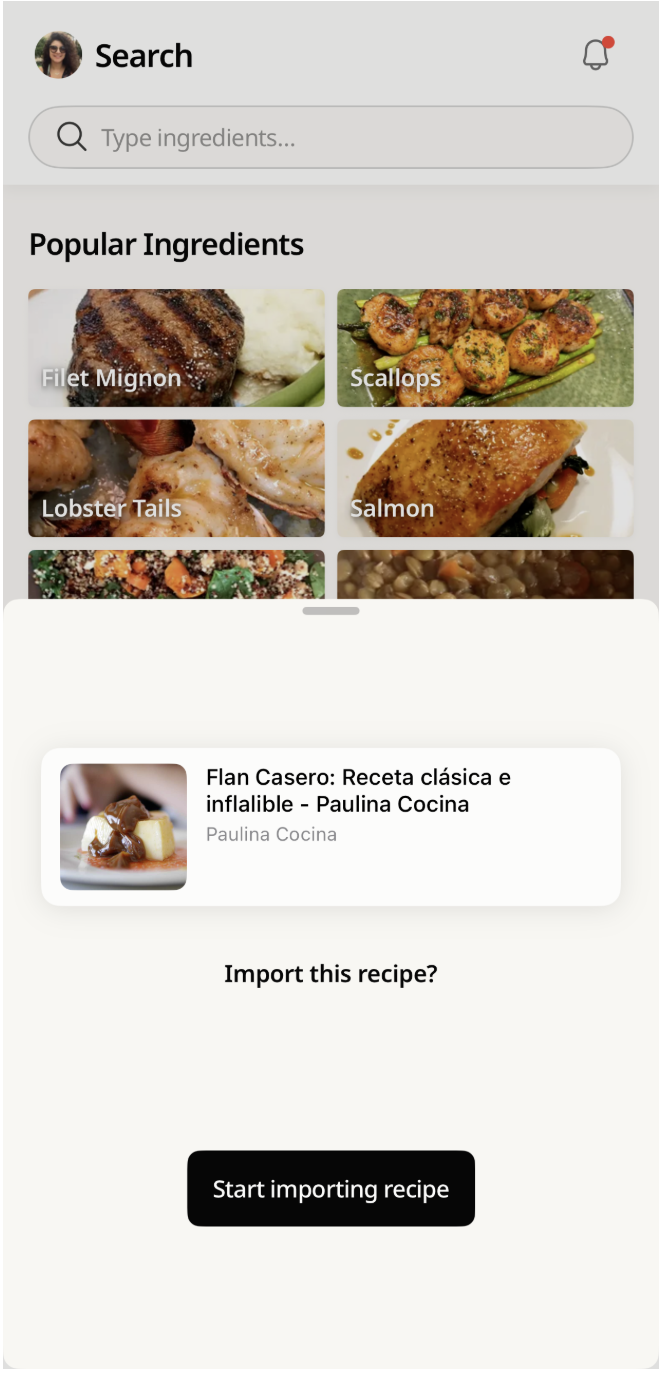
- Cookpad opens automatically. Tap Start Importing Recipe.
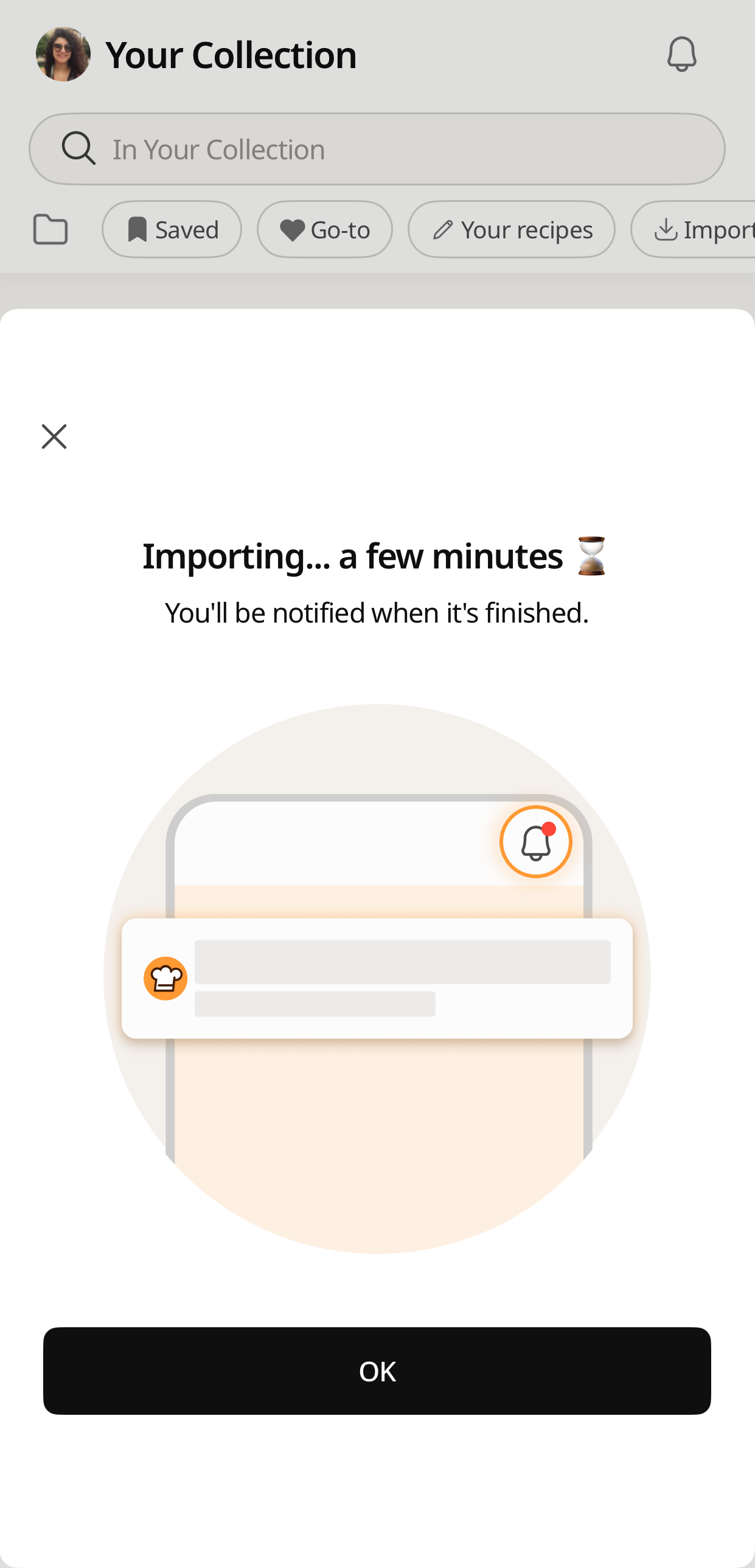
- Wait 1–2 minutes. Enable app notifications so you know when the import is complete.
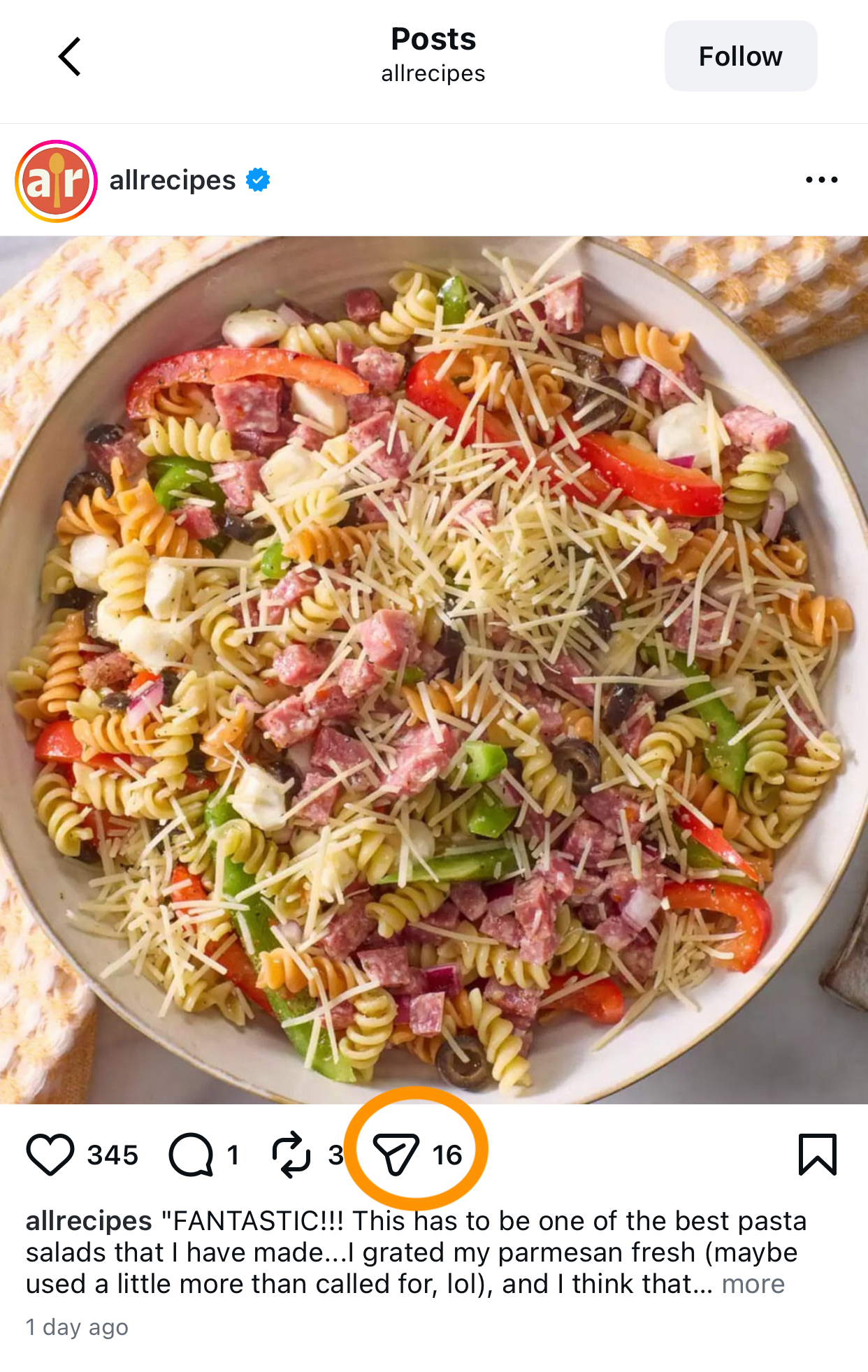
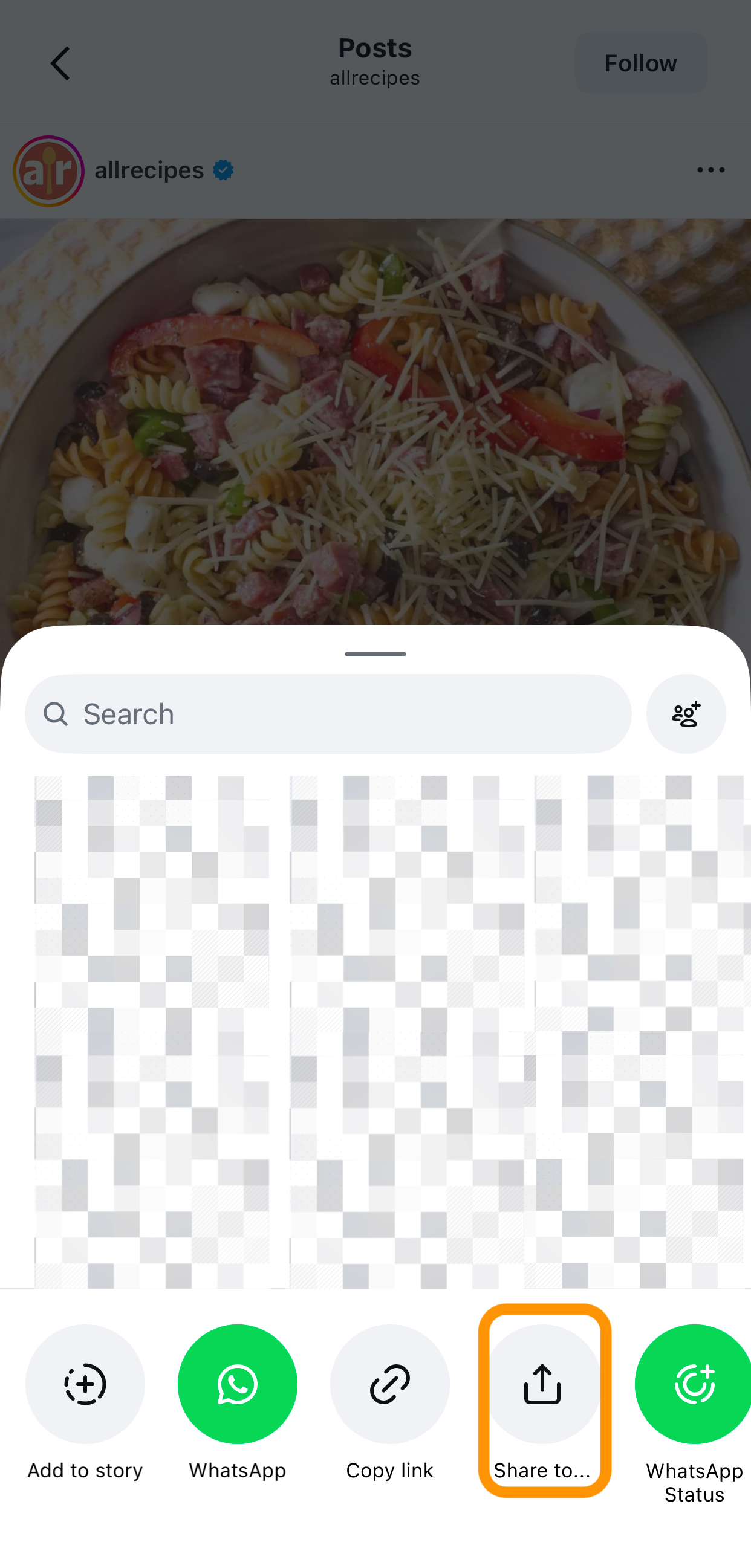
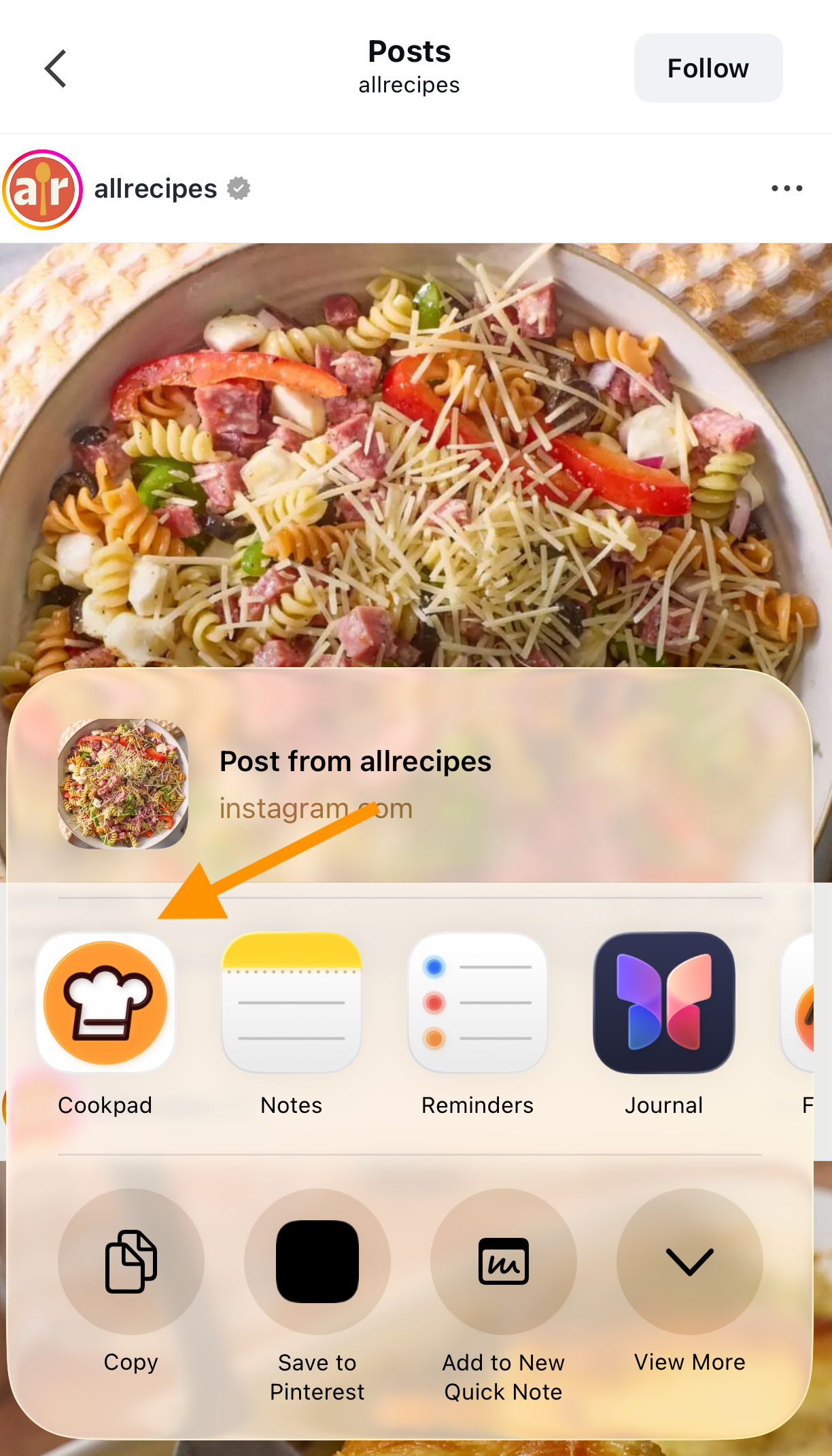
Start importing recipe in Cookpad from Instagram Reel India
TIP: Works from any public Instagram account — accounts you follow and accounts you don't. Open the Reel in Explore, in someone's profile, or from a WhatsApp-forwarded link: the Share → Cookpad flow works the same way.
Try it right now: → Open Cookpad and save your first imported recipe
From YouTube Shorts
- Open the YouTube Short with the recipe.
- Tap Share below the video.
- Select Cookpad from the share options.
- Tap Start Importing Recipe and wait 1–2 minutes.
Cookpad processing imported recipe from YouTube Short India
TIP: If the creator listed the ingredients in the video description, Cookpad picks those up automatically. Recipes with ingredients in the caption or description import most completely.
Got a YouTube Short from Ranveer Brar or a regional food channel you want to keep? → Import your first recipe from YouTube to Cookpad
From any website or food blog
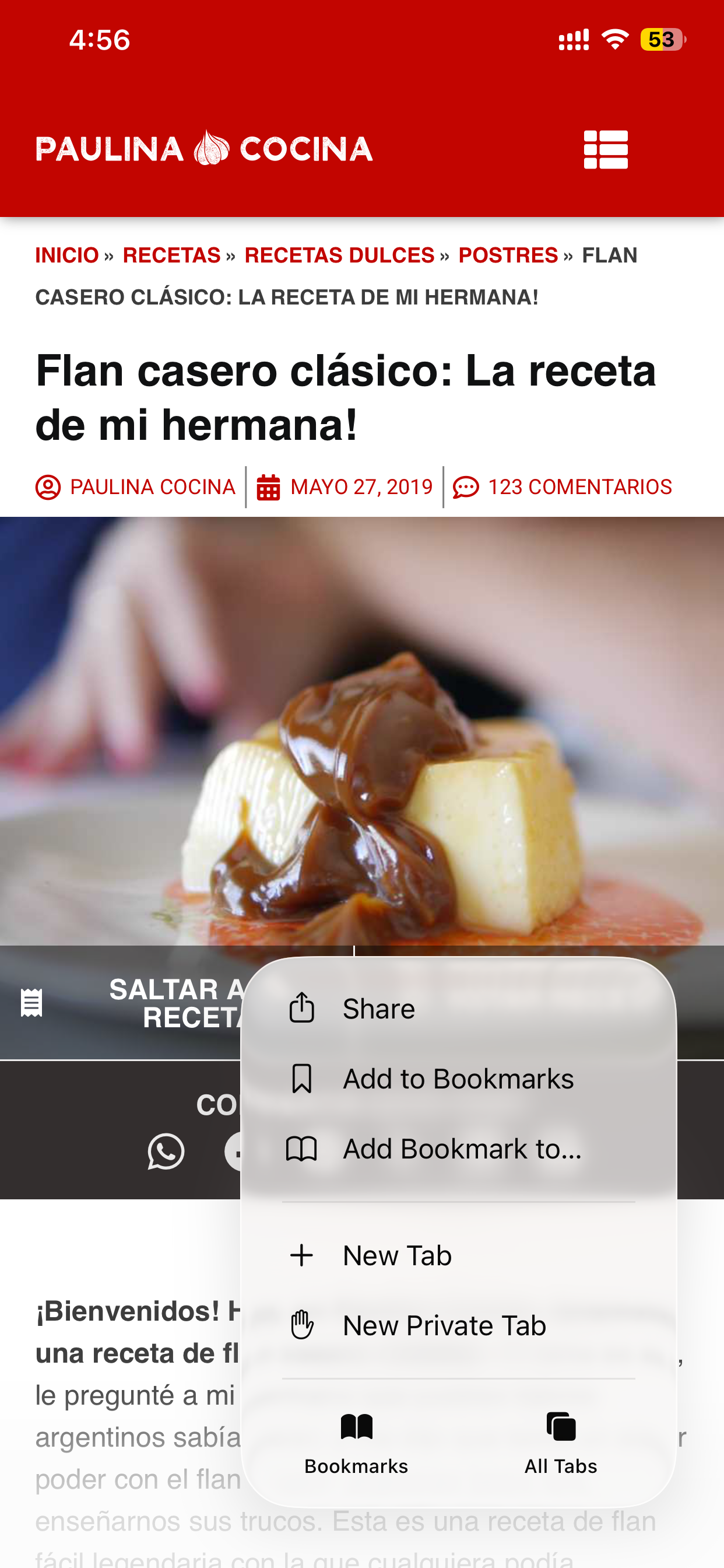
- Copy the URL of the recipe page (from a food blog, Times Food, NDTV Food, or any website).
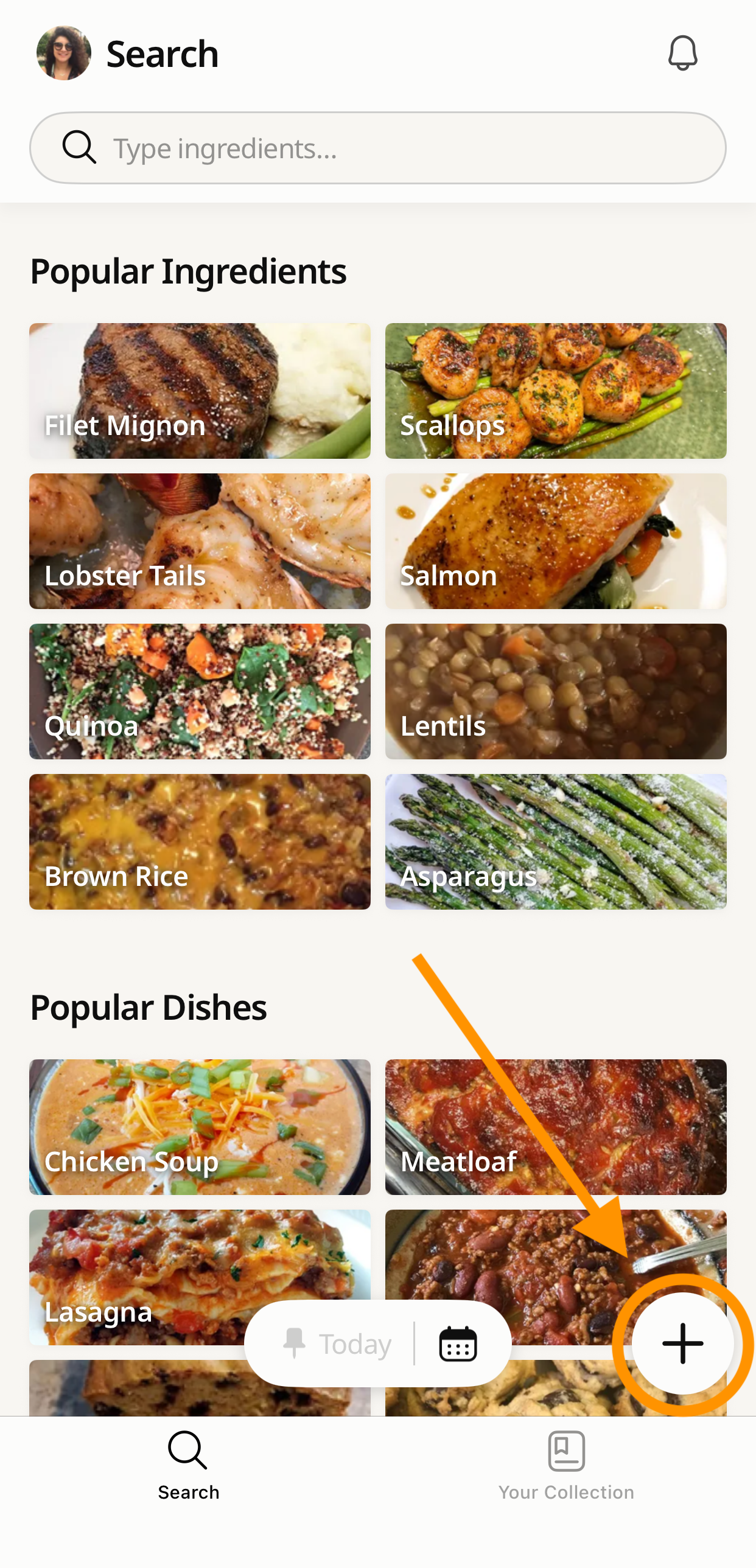
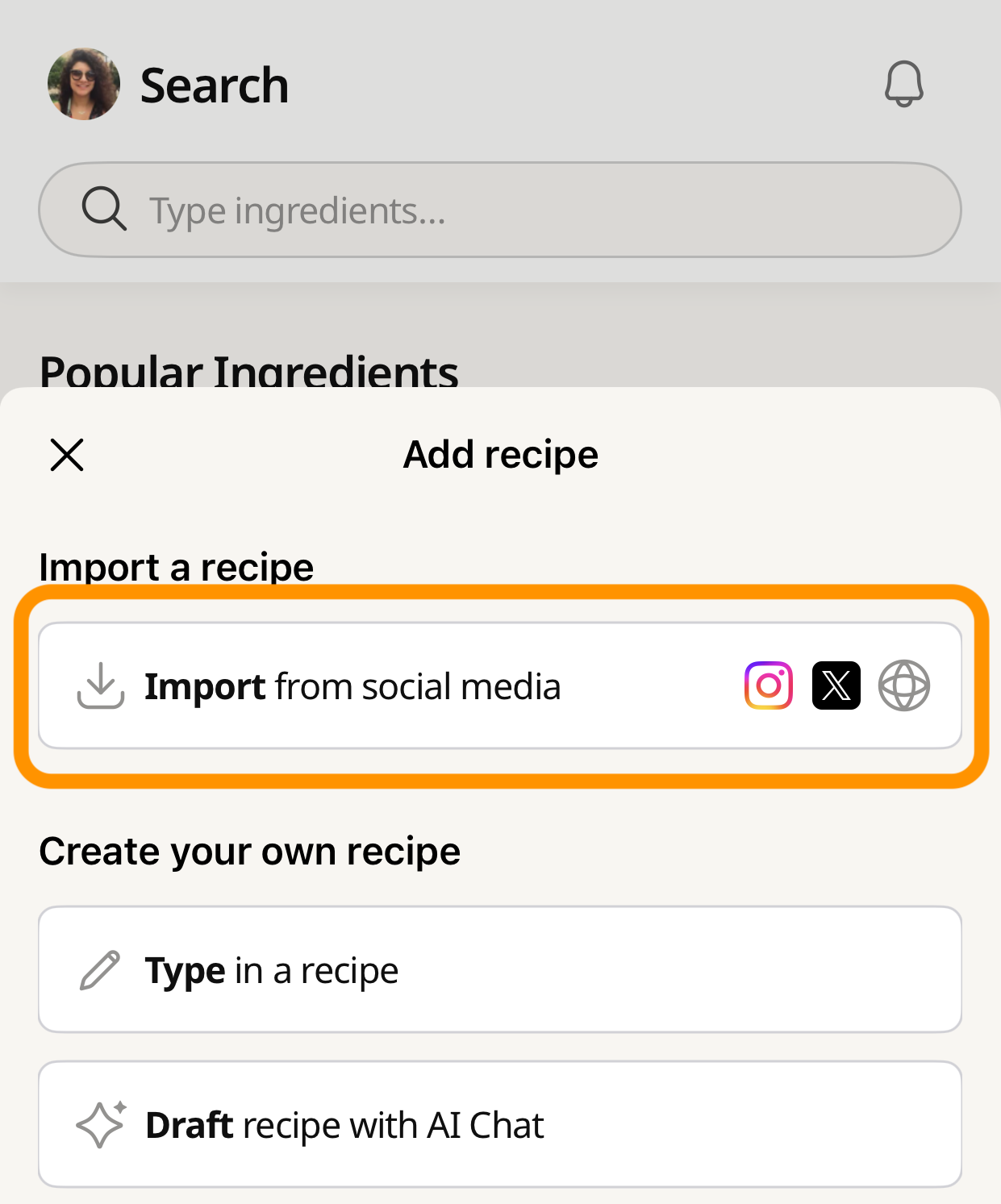
- Open the Cookpad app and tap the + button.
- Select Import from social media.
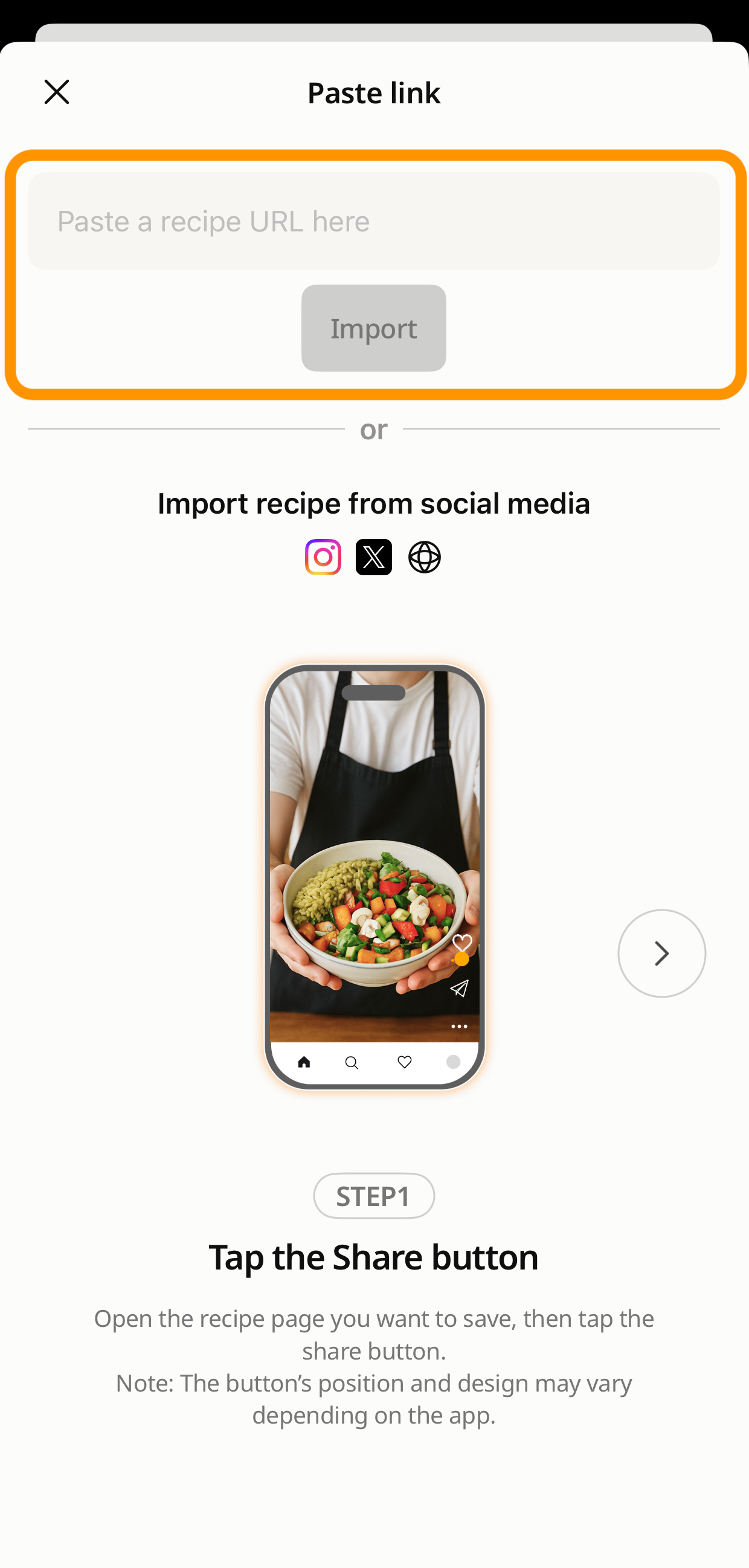
- Paste the URL and tap Import. Cookpad extracts the ingredients and steps automatically.
Import recipe from Indian food website URL into Cookpad India
TIP: Works with most Indian food websites — Times Food, NDTV Food, Archana's Kitchen, Veg Recipes of India, and international sites like BBC Good Food and Allrecipes. If the page has a structured recipe block, Cookpad finds it.
Freemium note: The free plan lets you save up to 5 recipes per week from Instagram, YouTube, or any website. For unlimited saves, Cookpad Premium removes the weekly limit entirely.
You can also import recipes in other languages.
Cookpad will automatically translate imported recipes into English, making it easy to cook dishes from around the world.
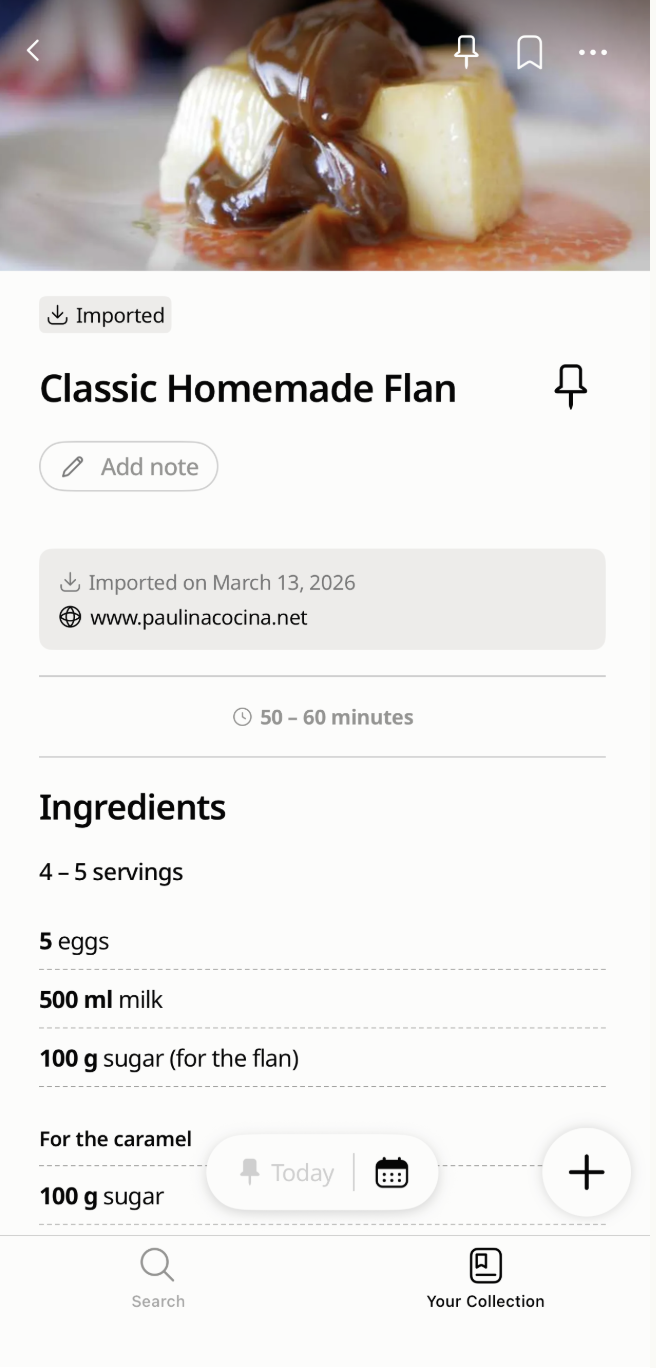
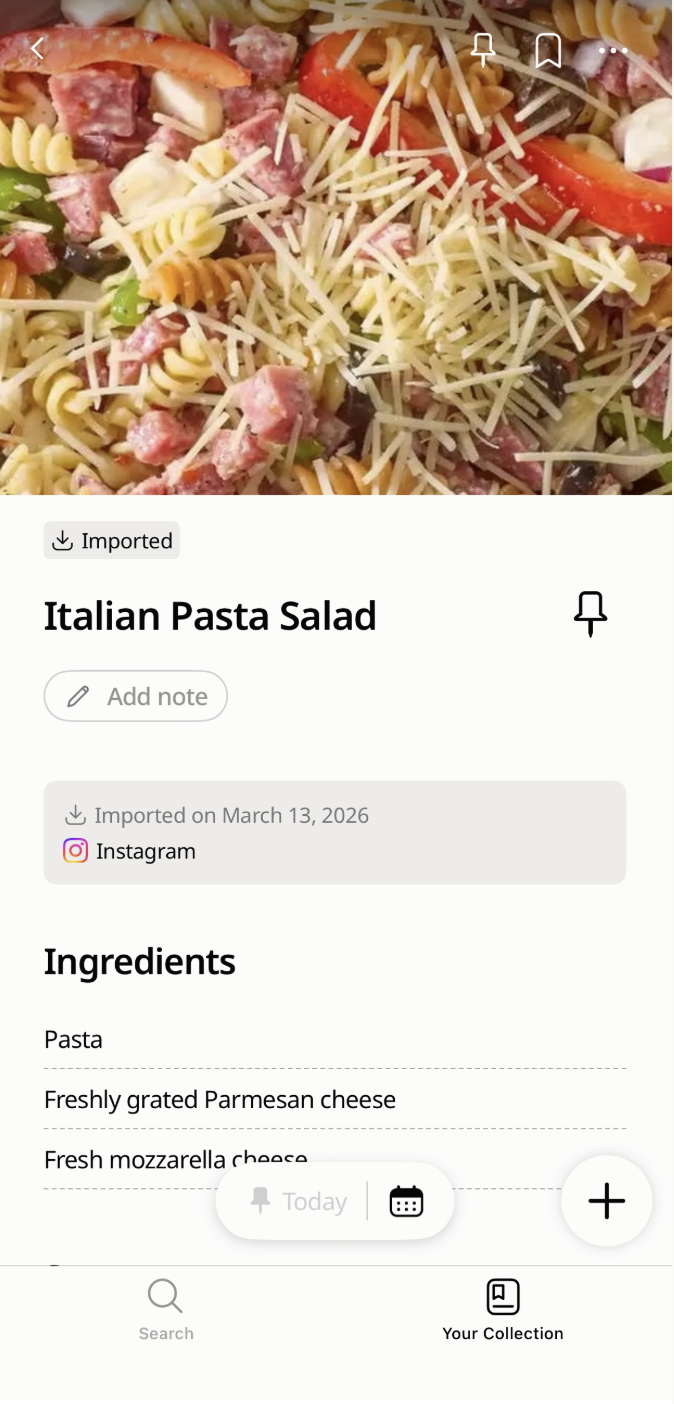
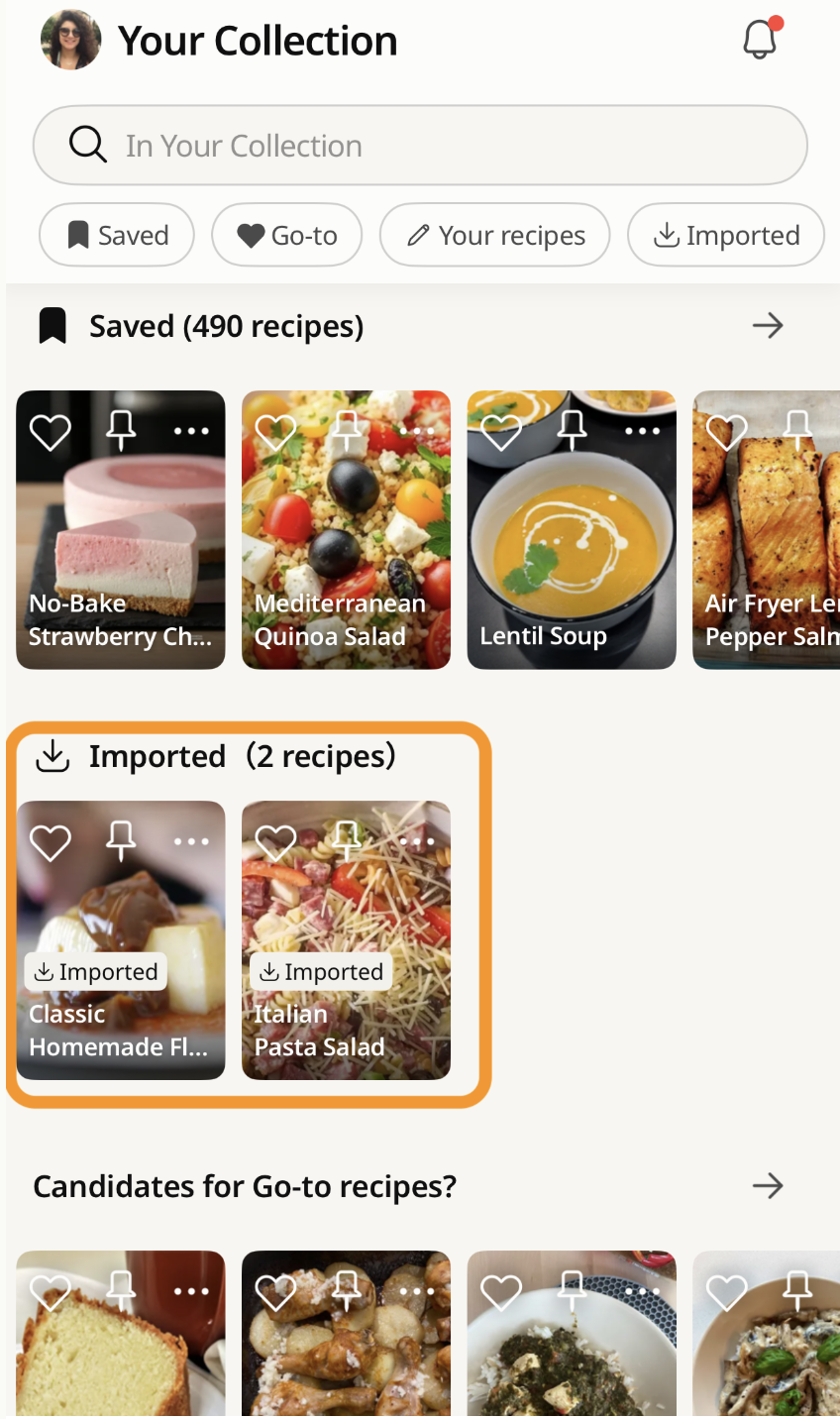
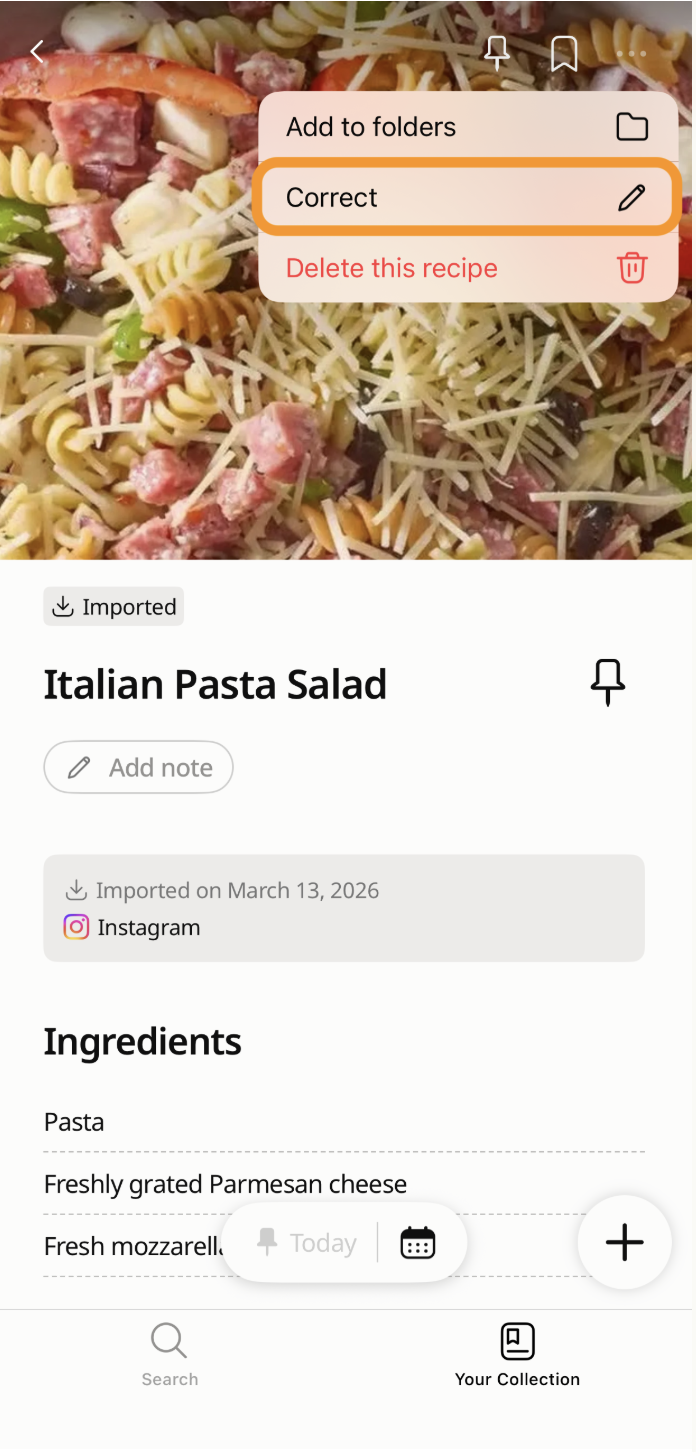
All imported recipes will be saved in the “ Imported” folder in Your Recipe Collection for easy access.This feature helps you manage all your favorite recipes in the Cookpad app and keep them easy to access while cooking.
Your digital Cookbook: organising your collection with Cookpad
Saving recipes is only useful if you can find them when you actually want to cook. Cookpad stores all your imported recipes in the Imported folder inside your personal Cookbook. From there, Cookpad Premium lets you organise everything into themed collections that match the way your kitchen actually works — by occasion, by ingredient, by cuisine, by who asked for it.
Whether it's the Diwali mithai list you're building now, the monsoon khichdi recipes you rely on every July, or the chole bhature recipe your mother-in-law forwarded on WhatsApp that you've been meaning to save properly — it all goes in one place, searchable, permanent, and organised however you like.
Your first saved recipe is the start of a Cookbook that's actually yours. No tension.
Why this matters for how we cook in India
In India, recipes have always travelled person to person — from naani to mother to daughter, written in the margin of a notebook, whispered at a wedding, forwarded on WhatsApp at 11pm with a message that says "try karke batao." That tradition hasn't disappeared. It's just moved to Instagram Reels and YouTube Shorts. The problem is the platforms where we discover recipes were never built to keep them.
Cookpad is the world's largest recipe-sharing platform, with millions of recipes shared by home cooks every day. The save feature extends that into wherever recipes actually live now — Reels, Shorts, food blogs — and makes them permanent, searchable, and yours. The same way a recipe notebook works, but on your mobile. Sorted.
Can you save a recipe directly from an Instagram Reel?
Yes — tap Share on the Reel and select Cookpad from the share options. This works on any public Reel, including accounts you don't follow and videos found via Explore. If Cookpad doesn't appear in your share sheet, tap More and add it to shortcuts. The import takes 1–2 minutes and saves the full recipe — not just a link to the Reel.
What happens to a saved Instagram recipe if the creator deletes the Reel?
The recipe stays in your Cookpad Cookbook untouched — but the link back to the original Reel stops working. Cookpad saves the content (ingredients, steps, images) as a permanent copy; it does not save the video itself. Once a Reel is deleted, the video cannot be recovered from Cookpad. This is why saving immediately matters — don't rely on Instagram's native save function as a backup.
Is there a free app to save recipes from Instagram in India?
Yes — Cookpad's free plan lets you save up to 5 recipes per week from Instagram, YouTube, or any website, with access to your Imported folder and ingredient search. Collection organisation (sorting saved recipes into themed groups like "Diwali sweets" or "monsoon comfort food") requires Cookpad Premium. Both the iOS App Store and Google Play versions are available in India.
How do I find a recipe I saved on Instagram?
Inside Instagram, the saved posts search only reads captions — not the recipe ingredients. If the creator used no caption, or the Reel has been deleted, it cannot be found at all. In Cookpad, every imported recipe is searchable by ingredient name regardless of the original caption or creator. Type "paneer" or "dal" and every matching recipe in your Cookbook appears instantly.
Can I save Instagram recipes and search by ingredient?
Yes — this is one of the key differences from Instagram's native save. Once a recipe is imported to Cookpad, it is fully searchable by any ingredient in the recipe, not just the title or caption. Search "ginger" and every recipe in your collection that includes ginger appears. This works across all imported recipes from Instagram, YouTube, and websites — all from the same Cookbook.